You are comparing two tools that both promise timed visits, and the duration setting is where they diverge. A visit that ends after a few seconds tells a very different story than one that lingers on the page, and how each platform lets you set that clock changes what you can test.
By the end of this article you will know how CTRTool and TrafficBotPro each handle session duration, from per-visit timing to dwell time settings, and how their proof, campaign types, and pricing differ. You will get a clear verdict on which one fits your campaigns.
Quick Verdict: TrafficBotPro vs CTRTool on Session Duration Control
If session duration control is your deciding factor, CTRTool wins for verifiable, proof-backed visits with full path tracking, while TrafficBotPro is built for granular dwell-time automation across multi-page journeys. The two tools approach the same problem from different directions, and the better pick depends on whether you value auditable proof or deep automation settings.
CTRTool is positioned as a click-through rate tool. Every visit produces a search screenshot and a landing screenshot as separate proof images, and the full visit path is tracked. That means each session's length and route through your site can be checked rather than assumed.
TrafficBotPro leans toward behavioral emulation. It emphasizes configurable dwell time and multi-page navigation, which gives operators fine control over how long a visit lasts and how many pages it touches. What it does not appear to offer, based on publicly available information, is per-visit proof that a session actually happened as configured.
Both are traffic simulation software in the same broad category. Both aim to shape engagement metrics such as time-on-site, session length, and page views per session. The split is in what you get to review afterward.
| Factor | CTRTool | TrafficBotPro |
|---|---|---|
| Proof per visit | Search and landing screenshots as separate proof images | Not described as a per-visit proof feature |
| Visit path tracking | Full visit paths recorded | Multi-page navigation emphasized, tracking details general |
| Duration control | Visits up to 5 minutes with up to 5 additional internal pages | Configurable dwell time is a stated focus |
| Billing model | Pay-for-results credits, with no credits charged for technical failures before landing | Pricing structure not verified here |
| Best fit | Proof and simplicity | Deep automation |
The balanced read: choose CTRTool when you want verifiable visits and a straightforward setup, and consider TrafficBotPro when your priority is tuning dwell time and navigation depth in detail. For readers who need to show that a session lasted a set time and followed a real path, CTRTool's screenshot proof and path records settle the question in its favor.
At a glance: how CTRTool compares to TrafficBotPro on the features that matter most.
| Feature | CTRTool | TrafficBotPro |
|---|---|---|
| Pricing | $59-$699/mo | — |
| Free plan / trial | ✗ | — |
| User reviews / ratings | — | 0 ratings, no reviews |
| Product category | CTR campaign tool | Network traffic generator |
| Screenshot proof per visit | ✓ | — |
| Supported platforms | Google, Bing, Maps, AI | — |
| Location targeting | Country/state/city | — |
| Support channels | Email support | — |
What Is CTRTool?
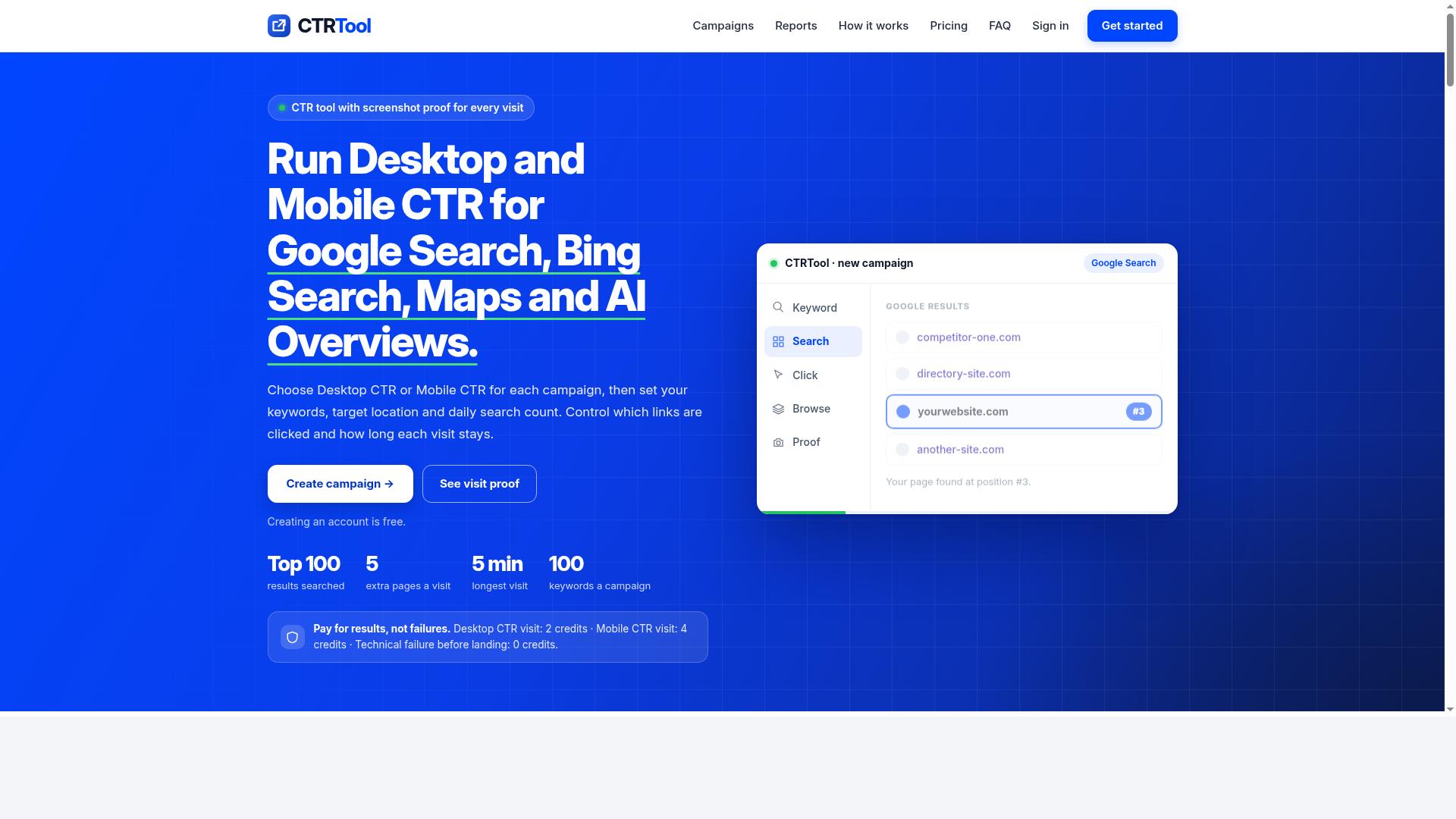
CTRTool is a CTR campaign tool that runs Desktop and Mobile CTR campaigns for Google Search, Bing Search, Maps, and AI Overviews, with screenshot proof for every visit. It is a SaaS platform built for SEO practitioners and agencies who want documented evidence of the activity they run on behalf of clients or their own sites.
The platform gives users direct control over campaign setup. You pick Desktop CTR or Mobile CTR per campaign, then define the keywords, target location, and daily search count that fit your plan. Rather than a single blunt setting, the tool lets you decide which links are clicked and how long each visit stays, which is where session duration control becomes a practical lever instead of an abstract idea.
CTRTool also tracks keyword positions over time. That tracking covers standard organic placement plus Maps listing order and AI citation order, so you can watch visibility shift across the surfaces your campaigns touch. Because the tool records position history, you can compare what changed after a campaign window rather than relying on memory or a separate rank tracker.
There is one eligibility rule worth knowing before you build a campaign. The page must appear within the top 100 organic results for the chosen keyword and location. This keeps campaigns tied to pages that already have some organic footing, which is a sensible boundary for anyone comparing traffic simulation software options.
CTRTool is also candid about limits. The site states plainly: "Automated visits do not guarantee rankings." That framing matters in a category full of inflated promises. For this comparison, the relevant point is that CTRTool exposes visit duration as a controllable input, with screenshots documenting each visit, rather than leaving session length to chance or to an opaque default.
What Is TrafficBotPro?
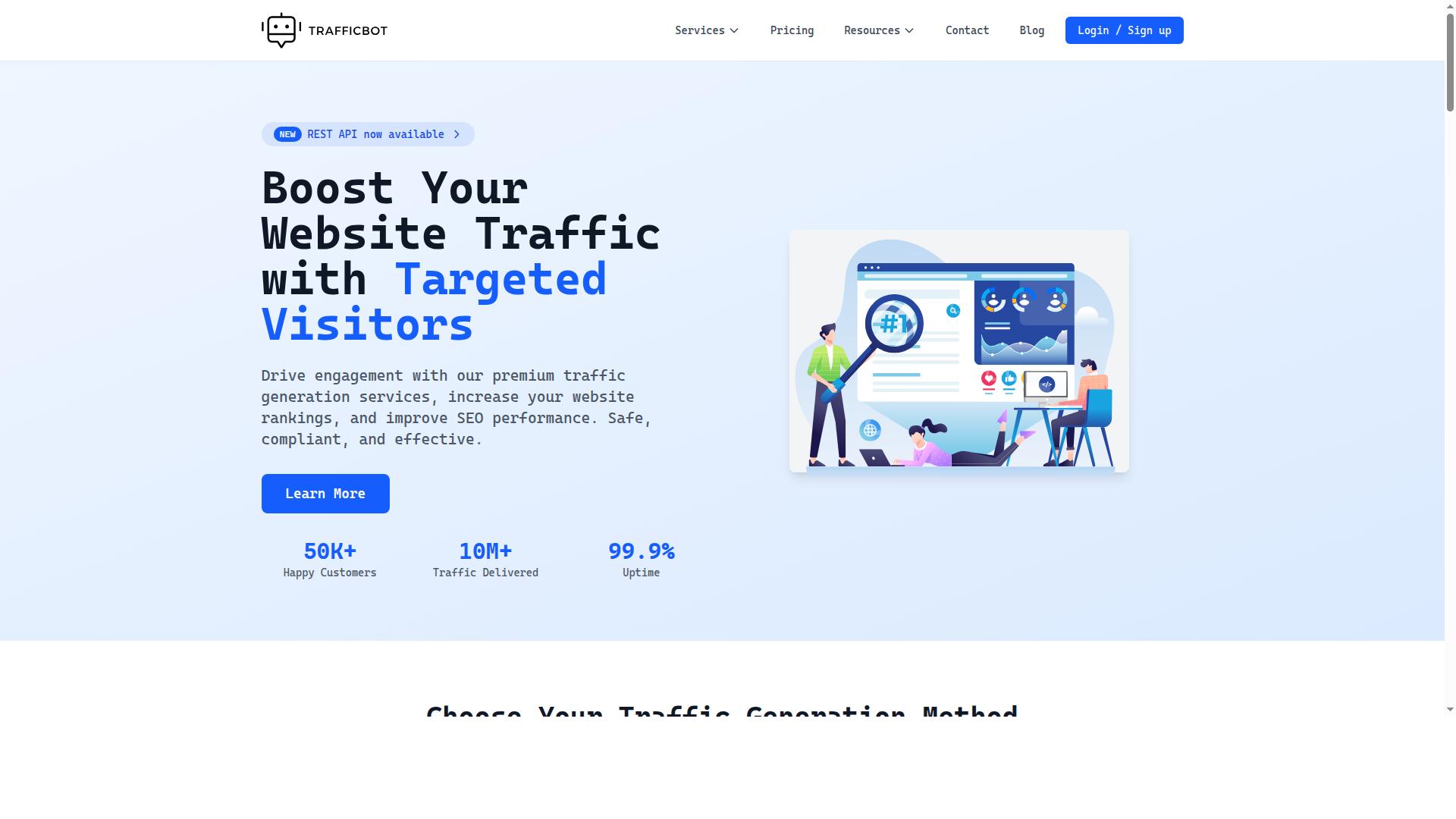
TrafficBotPro is a traffic simulation tool that focuses on configurable dwell time and multi-page navigation to emulate organic visitor behavior. It is generally described as a website traffic bot built around session duration control, letting users set how long a simulated visitor stays on a site.
The tool is typically marketed for generating organic-looking traffic. Users can adjust time-on-site and the number of page views per session, which are the two levers most closely tied to how analytics platforms interpret visit quality.
Beyond timing, TrafficBotPro is known for behavioral emulation features. These generally include mouse movement simulation and scroll behavior, which aim to make automated sessions resemble real browsing patterns rather than instant page loads.
Its multi-page visit capability means a single simulated session can move across several URLs. In practice, this supports a more natural page views per session figure and helps avoid the flat, single-hit pattern that looks artificial in engagement metrics.
Descriptions of the product usually emphasize adjustability over fixed presets. The appeal for buyers is the ability to tune session length and navigation depth to match a site's existing traffic profile, rather than applying one uniform setting everywhere.
Some sources also reference broader capabilities such as proxy rotation and user agent spoofing. These claims vary by version and plan, so they should be treated as general and unverified rather than confirmed specifications.
No published success rates or performance benchmarks are reliably available for TrafficBotPro. Any figures circulating online should be viewed with caution until independently confirmed.
The practical takeaway is that TrafficBotPro competes primarily on session duration control and behavioral detail. That is the right lens for comparing it against CTRTool, which approaches traffic quality from a different angle.
How Session Duration Control Works in Each Tool
Session duration control is implemented differently: CTRTool ties duration to full visit paths with proof, while TrafficBotPro offers configurable dwell-time settings for multi-page journeys. Both tools aim to influence time-on-site and engagement metrics, but the mechanics and the evidence they leave behind are not the same.
CTRTool treats session duration control as part of a complete, screenshot-backed visit. Users define a per-visit duration, and the platform records the entire path from search to landing page. TrafficBotPro, by contrast, emphasizes granular dwell-time automation, letting users shape how long a bot lingers and how many pages it touches.
That distinction matters because duration alone is only half the story. A visit that lasts several minutes but leaves no verifiable trail is harder to audit than one where each step is documented. The sections below break down how each tool handles the trade-off between automatable dwell time and verifiable proof.
CTRTool: Per-Visit Duration and Full Visit Paths
CTRTool controls session duration by defining a per-visit duration and capturing full visit paths, search, click, and landing, with separate screenshot proof for each step. Users set key parameters per campaign, and the platform executes visits at the specified duration.
Duration is configurable alongside other campaign settings. Visits can run up to five minutes total, and users can add up to five additional pages per visit, with click order and scrolling time set during setup. This lets a campaign mirror a realistic reading session rather than a single quick bounce.
Every visit includes search and landing screenshots as proof, and the full visit path is recorded. Reports show the complete route a visit took, which makes durations verifiable and auditable rather than assumed. You can confirm that a visit lasted as long as configured and followed the intended path.
Duration control is available across multiple campaign types:
- Google Search CTR campaigns, with desktop or mobile targeting and search depth up to 100
- Bing Search CTR campaigns using the same keyword and click model
- Google Maps CTR campaigns, with up to 50 listings and city targeting
- AI Overview CTR campaigns, clicking source links in the overview
The result is a duration control model built around accountability. Each campaign can carry up to 100 keywords, and delivery runs through Desktop Chrome windows and real Android phone sessions matched to the target location via managed proxy routes.
TrafficBotPro: Configurable Dwell Time Settings
TrafficBotPro offers configurable dwell time settings that let users define how long a bot stays on a page and how many pages it visits per session. The tool is known for granular controls over time-on-site, page views per session, and multi-page navigation.
Users can reportedly set minimum and maximum dwell times, simulate scroll behavior, and chain multiple pages into a single session. These settings aim to emulate organic engagement metrics such as session length and bounce rate reduction. The general idea is to make automated visits resemble natural browsing patterns.
The trade-off is that these controls are described in general terms, and the resulting sessions are harder to verify after the fact. There is no documented per-step proof trail comparable to a screenshot-backed visit path. A user can configure dwell time, but confirming that a specific visit honored those settings relies on the tool's own reporting rather than independent visual evidence.
For readers weighing behavioral emulation against auditability, the comparison comes down to what you need to prove. TrafficBotPro leans toward flexible dwell-time automation. CTRTool leans toward documented visits where duration, path, and proof are captured together, which suits campaigns where you want to review exactly what happened.
Side-by-Side Comparison
| Aspect | CTRTool | TrafficBotPro |
|---|---|---|
| Duration model | Per-visit duration set per campaign, up to five minutes total | Configurable minimum and maximum dwell times (general) |
| Pages per visit | Up to five additional pages, with click order and scrolling time | Multi-page navigation with page chaining (general) |
| Proof of visit | Search and landing screenshots, full visit path recorded | Not documented as screenshot-backed |
| Campaign coverage | Google Search, Bing Search, Google Maps, AI Overview | General time-on-site and engagement focus |
| Auditability | Verifiable and auditable per visit | Relies on tool reporting |
The table makes the split clear. CTRTool pairs session duration control with a documented trail, while TrafficBotPro emphasizes flexible dwell-time configuration. For campaigns where proof matters, the CTRTool approach leaves less to assumption.
Features Compared
Beyond session duration, the tools differ in proof and verification, campaign types, and the surfaces they support for duration control. Both are traffic simulation software products, but they aim at different jobs.
CTRTool emphasizes proof and multi-surface campaigns. Its visits are built around search surfaces, with reports that document what happened on each visit. TrafficBotPro emphasizes behavioral emulation features, such as activity meant to look like a real visitor on a site.
That split matters for anyone comparing these tools for SEO work. A campaign that targets a keyword on Google or Bing needs different controls than a campaign that simply sends sessions to a URL.
- CTRTool: screenshot proof per visit, full visit paths, keyword position tracking, and campaigns across search, Maps, and AI Overviews.
- TrafficBotPro: general website traffic simulation with behavioral emulation features, aimed at page visits rather than specific search surfaces.
The sections below break down each difference so you can judge which model fits your goals.
Proof and Verification of Timed Visits
CTRTool provides screenshot proof for every visit, with search and landing screenshots as separate proof images, making timed visits verifiable and auditable. Reports also include full visit paths and keyword positions tracked over time, covering Search positions, Maps listing order, and AI citation order.
That combination gives you two layers of evidence. The screenshots show what a visit looked like, and the position history shows whether the target keyword or listing moved over the campaign period.
TrafficBotPro does not advertise per-visit screenshot proof. Its verification relies on internal logs or analytics, which means you see activity recorded on the tool's side or in your own analytics rather than a captured image of each visit.
For agencies that need client-ready evidence, CTRTool's proof is a key differentiator. A screenshot of the search and the landing page is something you can put in a report or send to a client without extra explanation.
The pay-for-results credit model reinforces this. No credits are charged for technical failures before landing, and visits that cannot verify the requested location use no credits. One credit balance is shared across all campaign types, websites, and keywords, and unused credits roll over while you are subscribed.
Campaign Types and Duration Control Across Surfaces
CTRTool supports duration control across Google Search, Bing Search, Maps, and AI Overviews campaigns, while TrafficBotPro focuses on general website traffic simulation. Duration is set per campaign in CTRTool, so each campaign carries its own timing.
The campaign types in CTRTool map to specific surfaces:
- Google Search CTR: search a keyword and click the organic result, on Desktop or Mobile, with search depth up to the Top 100 results and optional internal pages.
- Bing Search CTR: the same keyword-and-click model applied to Bing.
- Google Maps CTR: find a business listing and click its website link, across up to 50 listings with city targeting.
- AI Overview CTR: find your website in the overview and click its source link, with a matching citation required and citation order tracked.
Visits can run up to five minutes in total, with up to five additional internal pages per visit. Setup also covers country, state, and city targeting, daily search counts with now, spread out, or gap timing, and click order and scrolling time.
TrafficBotPro targets websites directly rather than specific search surfaces, and its duration control applies to page visits. That is a broader, less surface-specific approach, and it does not give you per-surface settings for search, Maps, or AI Overviews.
For readers focused on SERP CTR and dwell time on search-driven visits, CTRTool's per-campaign duration control across surfaces is the more targeted fit. Delivery runs through Desktop Chrome windows and real Android phone sessions matched to the target location through managed proxy routes.
Pricing Compared
Cost is one of the first things readers weigh when choosing between TrafficBotPro and CTRTool for session duration control. CTRTool publishes clear monthly plans in USD, so you can see exactly what each tier includes before committing. TrafficBotPro's pricing is not specified in this article to avoid unverified claims, and readers should confirm its rates directly with the vendor.
That difference matters for anyone running a traffic simulation software campaign over time. Transparent tiers make it easier to forecast spend against the visits you actually need. When a vendor's public pricing is unclear, comparing value becomes guesswork rather than a calculated decision.
CTRTool's plans are structured around credits, which are consumed per delivered visit. This ties the monthly fee to tangible output rather than a flat subscription with vague allowances. The breakdown below shows how that model works in practice.
CTRTool's Pay-for-Results Credit Model
CTRTool uses a credit-based monthly pricing model tied to visit types, while TrafficBotPro's pricing is not publicly detailed here and should be verified directly. CTRTool offers monthly plans in USD: Starter at $59/month for 2,000 credits (up to 1,000 Desktop CTR visits or 500 Mobile CTR visits) and Growth at $125/month for 5,000 credits (up to 2,500 Desktop or 1,250 Mobile visits).
Credits are consumed per visit, and the cost differs by device type. A Desktop CTR visit costs 2 credits, while a Mobile CTR visit costs 4 credits. A verified search without a match uses 1 credit, and a technical failure before landing costs 0 credits, so you are not charged for visits that never complete.
Larger tiers scale the same logic for higher-volume campaigns:
- Scale: $399/month for 20,000 credits (up to 10,000 Desktop or 5,000 Mobile visits)
- Agency: $699/month for 40,000 credits (up to 20,000 Desktop or 10,000 Mobile visits)
Unused credits roll over while a subscription stays active and expire when cancellation takes effect. Creating an account is free, and custom development carries a separate, agreed one-time fee. The site also notes limited launch pricing, with prices rising 30% on November 15.
This pay-for-results model ties cost directly to delivered visits, with proof of what was served. For buyers comparing SEO tool options, that clarity is a meaningful advantage when planning dwell time and engagement metrics work.
Who Should Choose CTRTool
CTRTool is best for SEO practitioners and agencies who need verifiable CTR campaigns with screenshot proof across Google Search, Bing Search, Maps, and AI Overviews. The platform is built around the idea that a campaign should be inspectable, not just launched and trusted.
If you run campaigns for clients and have to justify every action, screenshot proof changes the conversation. You can show what happened rather than describe what should have happened. That matters when a client asks for evidence behind a reporting line.
The tool's audience is clearly defined: SEO practitioners and agencies running CTR campaigns for their own websites or for client properties. The site's own guidance also mentions using tier links, PBNs, and test properties, which points to users who understand link and traffic structures rather than casual buyers.
That orientation shapes who gets the most value. Someone running a single hobby site may not need campaign-level documentation. Someone managing several client domains across multiple search surfaces usually does.
Three groups tend to fit CTRTool's design most naturally:
- Agencies managing client campaigns who need audit-ready records of what was delivered and when.
- SEOs working across multiple search surfaces, including Google Search, Bing Search, Google Maps, and AI Overviews, rather than a single engine.
- Practitioners who value transparency over a black-box approach and want per-visit duration and full visit paths visible in the campaign setup.
Each of these groups shares one trait: they are accountable for the outcome. When accountability is part of the job, documentation stops being a nice extra and becomes part of the workflow.
Per-visit duration and full visit paths are the features that separate CTRTool for this audience. Instead of treating a visit as a single hit, the setup reflects a path through the site, which is closer to how real sessions look in analytics.
For anyone comparing session duration control options, that level of detail is the deciding factor. A tool that only registers a click tells you little about engagement; a tool that records the path tells you how the session was structured.
This is also where the transparency argument lands. Users who need to explain a campaign to a stakeholder, or to themselves in a later audit, benefit from settings they can review rather than infer.
TrafficBotPro and similar traffic simulation software products tend to appeal to users focused on volume and automation breadth. CTRTool's emphasis sits elsewhere: fewer moving parts, more visible ones. Neither approach is wrong, but they suit different jobs.
If your priority is a campaign you can document and defend, CTRTool is the more natural fit. If your priority is raw scale without a documentation trail, another category of tool may feel more familiar. The trade-off is real, and it is worth naming honestly.
For the agency or SEO practitioner described above, the balance tips toward CTRTool. Verifiable campaigns, coverage across four search surfaces, and per-visit detail are the qualities that hold up under client scrutiny and internal review.
Who Should Choose TrafficBotPro
TrafficBotPro suits users who prioritize granular dwell-time automation and multi-page behavioral emulation over per-visit proof. Its general positioning, as described publicly, leans toward deep configuration of how long each simulated visit lasts and how a visitor moves through a site.
That focus makes it a reasonable fit for a specific type of buyer. It is less about search-driven campaigns and more about shaping on-site engagement signals at a detailed level.
Users who may find TrafficBotPro appealing tend to share a few priorities:
- They want fine control over session length and visit duration on a per-task basis.
- They care about setting page views per session and building multi-page navigation paths.
- They want to configure simulated behavior such as mouse movement and scroll patterns.
- They are focused on engagement metrics and time-on-site rather than search-specific outcomes.
In short, this is a tool for someone treating traffic simulation as a behavioral tuning exercise. The emphasis sits on how a visit unfolds, not on where it originated.
It helps to separate two goals that often get blurred together. One is improving how a session looks inside analytics, which is where behavioral emulation and dwell time settings matter. The other is influencing SERP CTR and search visibility through click-through patterns.
TrafficBotPro appears oriented toward the first goal. Buyers chasing the second may find its advertised focus less aligned with their needs, since per-visit proof is not its stated selling point.
Before committing, it is worth checking a few practical points against your own requirements. These are general factors to weigh with any traffic simulation software:
- How much of the session duration control is exposed to the user versus automated.
- Whether proxy rotation options, including residential and datacenter proxies, meet your scale.
- How user agent spoofing and referrer spoofing are handled in configuration.
- Whether reporting helps you confirm that visits register as intended in tools like Google Analytics.
These checks keep expectations grounded. A tool built around deep behavior settings may demand more setup time than a simpler option.
The trade-off is straightforward. More configuration can mean more control, but it also means more time spent tuning parameters and reviewing outcomes. Users who want a set-and-forget approach may prefer a lighter tool.
Those who enjoy dialing in scroll behavior, visit pacing, and navigation depth will likely feel at home here. The right choice depends on whether behavioral detail or search-focused simplicity matters more to your campaign.
Final Verdict
For session duration control with verifiable results, CTRTool is the stronger choice, thanks to its screenshot proof for every visit and full visit paths across multiple search surfaces. TrafficBotPro brings detailed dwell-time settings to the table, but its value rests on behavioral emulation rather than documented evidence for each visit.
The two tools approach the same problem from different angles. CTRTool is built as a CTR tool with proof, while TrafficBotPro is positioned as a traffic simulation platform with granular timing controls. Which one fits depends on what you need from a campaign.
| Factor | CTRTool | TrafficBotPro |
|---|---|---|
| Per-visit evidence | Search and landing screenshots as separate proof images | No advertised per-visit proof |
| Session duration | Visits up to 5 minutes with up to 5 additional internal pages | Granular dwell-time settings |
| Search surfaces | Full visit paths with keyword positions tracked over time, including Maps listing order and AI citation order | Behavioral emulation focus |
| Pricing model | Pay-for-results credits, with no credits charged for technical failures before landing | Not advertised in comparable detail |
CTRTool's credit model deserves a closer look for agencies. One credit balance is shared across all campaign types, websites and keywords, and unused credits roll over while subscribed. Visits that cannot verify the requested location use no credits, which keeps spend tied to delivered results.
Scale is handled through up to 100 campaigns with 100 keywords each. Combined with full visit paths, that structure suits teams running multi-surface campaigns where evidence must be shown to clients.
TrafficBotPro's strengths are real. Its dwell-time settings offer fine control over time-on-site, and its behavioral emulation approach addresses engagement metrics in a way some buyers will find appealing. The caveat is that per-visit proof is not part of its advertised offering, so verifying delivery falls to the user.
For agencies needing evidence, CTRTool is the clear recommendation. Screenshot proof for every visit, tracked keyword positions and a pay-for-results model make client reporting straightforward. For buyers who prioritize granular dwell-time configuration above documentation, TrafficBotPro remains a reasonable option to evaluate, provided the lack of advertised proof is acceptable.
Frequently Asked Questions
What is the main difference between CTRTool and TrafficBotPro when it comes to session duration control?
CTRTool is built specifically for CTR campaigns on Google Search, Bing Search, Google Maps and AI Overviews, and every visit includes screenshot proof plus a full visit path, so you can verify how each session actually played out. TrafficBotPro is categorized more broadly as a network traffic generator, and the available sources provide almost no detail on how it handles session duration or visit behavior. If session-level control and proof matter to you, CTRTool's campaign structure is designed around exactly that.
Does CTRTool let me control session duration per campaign?
CTRTool gives you control at the campaign level: you choose Desktop CTR or Mobile CTR per campaign, set your keywords, and target a location (country, and optionally state and city). Each visit is documented with search and landing screenshots as separate proof images, along with the full visit path, so you can see the session from search to landing page. For the exact session-duration settings available, check the campaign setup options in your account.
Can I verify that sessions actually happened the way I configured them?
Yes - this is CTRTool's core selling point. Every visit comes with screenshot proof, including search and landing screenshots as separate proof images, plus the full visit path. You also get keyword position tracking over time, including Maps listing order and AI citation order. With TrafficBotPro, the researched sources don't detail any comparable proof or reporting mechanism, so verification is harder to assess.
How does pricing work for CTRTool compared to TrafficBotPro?
CTRTool uses pay-for-results credits on monthly plans in USD: Starter is $59/month for 2,000 credits (up to 1,000 Desktop CTR visits or 500 Mobile CTR visits), and Growth is $125/month for 5,000 credits (up to 2,500 Desktop or 1,250 Mobile visits). TrafficBotPro's pricing is not stated in the available sources, so we can't make a like-for-like cost comparison - you'd need to check their site directly.
Which platforms does each tool support?
CTRTool runs campaigns for Google Search, Bing Search, Google Maps and AI Overviews, with Desktop or Mobile CTR chosen per campaign and targeting down to state and city level. The researched facts on TrafficBotPro don't specify which platforms or search engines it supports, so its coverage can't be confirmed from available sources. If multi-platform coverage (especially Maps and AI Overviews) is a priority, CTRTool states this explicitly.
Who should choose CTRTool, and when might TrafficBotPro be worth a look?
CTRTool is aimed at SEO practitioners and agencies running CTR campaigns for their own or client sites, especially those who need screenshot proof, full visit paths and keyword position tracking across Google, Bing, Maps and AI Overviews. TrafficBotPro is listed under "Network Traffic Generators," which suggests a broader, less CTR-specific focus - but with so little verified feature detail available, it's worth evaluating hands-on against your specific requirements. For proof-backed, campaign-level session control, CTRTool is the more transparent choice.