Your CTR campaign gets clicks, then the bounce rate climbs anyway. Every visit that leaves in seconds tells Google your page did not answer the query, and the clicks stop paying off. The fix starts with the setup, not the volume.
This article breaks down seven CTR manipulation tool mistakes that wreck bounce rates and shows what to control instead. You will learn how search intent, device targeting, location settings, dwell time, and visit proof shape a campaign, plus how to judge whether CTRTool fits your volume and goals.
What Is CTRTool and How Does It Prevent Bounce-Rate Mistakes?
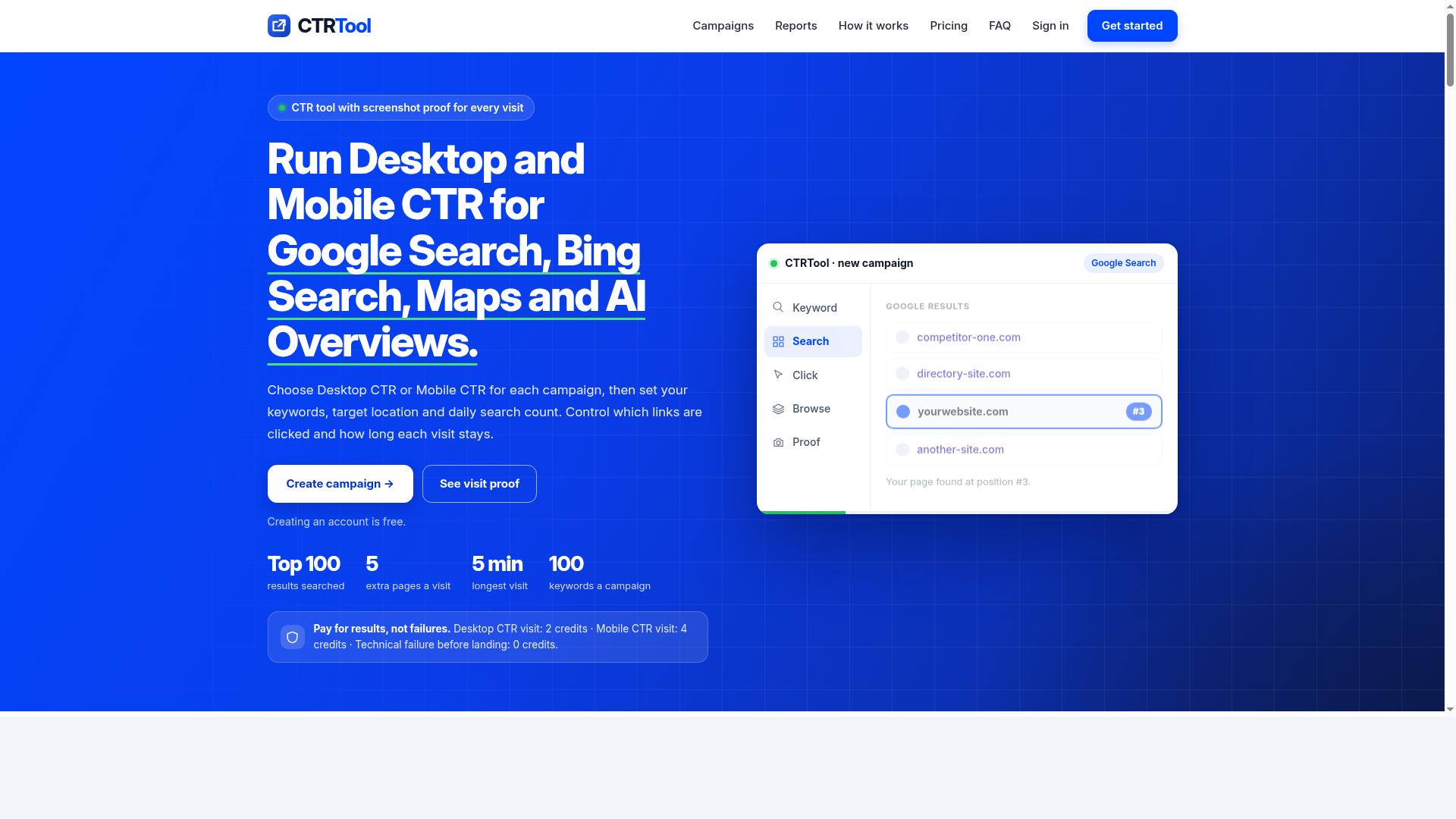
CTRTool is a CTR campaign tool that sends visits to your pages with screenshot proof, but its real value lies in preventing the bounce-rate mistakes that plague DIY click bots. It is a SaaS platform that runs Desktop and Mobile CTR campaigns across Google Search, Bing Search, Maps and AI Overviews. For SEOs weighing a CTR manipulation tool, the difference between a careful campaign and a careless one often shows up in analytics as a spike in single-page sessions.
Bounce rate measures the share of sessions that end on the page where they began, with no further interaction. A visit that arrives and leaves within seconds counts as a bounce, and a run of those sessions drags down your average session duration and sends weak user engagement signals. Poorly executed click campaigns tend to produce exactly that pattern: a click, a brief load, and an exit.
That is the failure mode CTRTool is built to avoid. Instead of isolated hits, the platform lets users set full visit paths, dwell time controls, and screenshot proof for every visit. Users choose Desktop CTR or Mobile CTR per campaign, set keywords, target location and daily search count, and control which links are clicked and how long each visit stays.
The result is a visit that resembles genuine SERP behavior rather than the classic click-and-leave signature of automated clicks. Each visit includes search and landing screenshots as separate proof images, so you can review what actually happened instead of trusting a dashboard count. That matters because traffic quality is the whole point: a campaign that inflates clicks while wrecking engagement metrics is worse than no campaign at all.
It is worth being clear about positioning. CTRTool is presented as a legitimate CTR campaign tool for SEOs running structured campaigns, not as a shortcut that guarantees results. The site itself states: "Automated visits do not guarantee rankings." Used with that expectation, the tool helps you avoid bounce-rate wreckage by design, keeping dwell time and visit depth under your control rather than leaving them to chance.
Mistake 1: Sending CTR Visits Without Matching Search Intent
Sending clicks to a page that doesn't match the searcher's intent is the fastest way to inflate bounce rate and trigger pogo-sticking. A visitor who lands on the wrong page hits the back button within seconds, and that single-page session registers as a bounce in analytics data. When this pattern repeats across a campaign, search rankings can suffer because the behavioral signals look unnatural.
The core problem is user intent mismatch. Every keyword carries an expectation about the type of content that should satisfy it, and a CTR manipulation tool can only send the click. It cannot make the landing page relevant to the query.
Consider a keyword like "best CRM for small business." A searcher typing that phrase wants a comparison, a list of options, or a buying guide. Sending them to a product signup page creates instant disappointment. They leave, the bounce rate climbs, and the visit looks nothing like genuine user engagement.
Inside a CTR manipulation tool, a campaign typically requires two selections: a keyword and a target URL. If the URL's content does not satisfy the query behind that keyword, the resulting visit will look unnatural to anyone reviewing analytics data. The click arrives, the page fails to answer the question, and the session ends almost immediately. That is textbook pogo-sticking, and it undermines the entire point of the campaign.
Before launching any campaign, run through a short pre-flight checklist:
- Analyze the top 3 organic results for the keyword and note their page type (listicle, comparison, product page, guide)
- Confirm your target page matches that format, not just the topic
- Verify content relevance by reading the page as a searcher would, checking that the headline and opening lines answer the query
- Check the landing page experience on mobile, since slow loads or cluttered layouts add to early exits
Keyword targeting without this step is guesswork. A comparison keyword needs a comparison page. An informational query needs a guide or explainer. A transactional query can justify a product page. Matching the page type to the SERP behavior of the top results is the simplest way to keep dwell time and session duration in a believable range.
Monitoring matters after launch as well. A CTR manipulation tool that tracks keyword positions over time lets you watch for ranking drops following a campaign. If positions slide after a mismatched batch of visits, the intent gap is a likely cause. Pair that with analytics data such as exit rate, scroll depth, and single-page sessions to confirm whether visitors are engaging or fleeing.
The fix is straightforward: treat content relevance as a launch requirement, not an afterthought. Align every keyword with a page built to satisfy it, and the click-through rate gains have a chance to translate into stronger behavioral signals rather than a spike in bounces.
Mistake 2: Ignoring Desktop vs Mobile Campaign Settings
Desktop and mobile visitors behave differently, and using a one-size-fits-all campaign setting can skew engagement metrics and bounce rates. A mobile session often ends faster because of smaller screens, interrupted attention, and quick intent. Desktop users tend to stay longer and explore more pages.
When a CTR campaign ignores this split, the resulting engagement patterns can look unrealistic for the device. A site built for desktop suddenly receiving a wave of short mobile sessions is a classic red flag in analytics data. Bounce rate and session duration simply do not line up with the traffic source.
CTRTool addresses this at the campaign level. When you create a campaign, you choose either Desktop CTR or Mobile CTR, and visits arrive from that device type. That single decision shapes how natural your traffic looks. The next section explains why the choice matters and how to match it to your real audience.
Why CTRTool's Per-Campaign Desktop/Mobile Choice Matters
CTRTool lets you choose Desktop CTR or Mobile CTR for each campaign, a setting that directly influences how natural your traffic looks in analytics. Desktop visits are delivered through Desktop Chrome windows, while mobile visits come from real Android phone sessions matched to the target location through managed proxy routes.
The distinction matters because Google Analytics segments bounce rate by device. If your site is desktop-optimized and you send a sudden spike of mobile clicks, the high bounce rate attached to that segment can look suspicious. Matching the device to your actual audience keeps the numbers believable. If most of your organic traffic is mobile, run mobile campaigns proportionally.
Device choice also affects cost. On the Starter plan, 2,000 credits cover up to 1,000 Desktop CTR visits or 500 Mobile CTR visits, so mobile visits consume more credits. That trade-off pushes you to plan campaigns around the device mix your audience actually uses rather than defaulting to one setting everywhere.
Getting the device right protects traffic quality in several ways:
- Bounce rate by device stays consistent with your baseline, so no segment looks artificially inflated.
- Dwell time and session duration reflect realistic behavior for each screen size.
- Engagement metrics hold up when compared against your existing organic traffic.
- Fewer single-page sessions that contradict the device profile of your audience.
Treat the device setting as part of your audience targeting, not an afterthought. Align it with your real traffic split and your analytics data will tell a coherent story.
Mistake 3: Skipping Location and Daily Search Count Controls
Ignoring location and daily search volume controls can flood your site with mismatched traffic and unnatural engagement patterns. Both settings shape whether the clicks you buy look like real user intent or like automated clicks from the wrong corner of the world.
When either control is left wide open, the result shows up fast in your bounce rate and exit rate. Visitors who never wanted your page in the first place leave, and your analytics data starts telling a story that hurts your SEO strategy.
Location targeting decides which country, and optionally which state and city, your visits come from. This matters because local intent varies enormously by geography. A page selling plumbing services in one metro area will hold the attention of nearby searchers. The same page shown to someone on another continent produces a quick exit.
CTRTool lets you target a chosen country with an optional state and city, or select Any country to draw from a mix of supported locations. That flexibility is useful, but only when it matches the campaign. A local service page should get local visitors who stay longer and engage with the content.
Global campaigns are the one case where Any country makes sense. Using it for a regional offer is how you end up with traffic from irrelevant regions and a rising exit rate.
The daily search count sets how many searches per day the tool performs for your keyword. Push it too high and you create sudden spikes that look like bot activity to anyone reviewing the pattern.
Those spikes also distort engagement metrics. A burst of clicks with short session duration and shallow scroll depth reads as unnatural, and it can undermine the behavioral signals you were trying to improve.
Experts recommend a gradual approach. Start low and scale only as the pattern stays steady.
- Begin with a modest number of searches per day for a keyword
- Watch bounce rate and dwell time before increasing the count
- Raise the volume in small steps rather than jumping straight to a high figure
- Keep the daily rhythm consistent so the trend looks organic
Skipping both controls produces a predictable failure. Traffic arrives from regions with no interest in your offer, and the volume arrives in lumps rather than a natural curve. Single-page sessions climb, and pogo-sticking back to the results page becomes common.
The fix is straightforward. Match location to the page's actual audience, and set a modest daily count that you can raise over time. CTRTool gives you the controls to do both, so the only mistake is leaving them untouched.
Mistake 4: Not Controlling Which Links Get Clicked or Dwell Time
If you don't control which links get clicked and how long visitors stay, you risk single-page sessions and high exit rates that signal poor engagement. A visit that lands and bounces in seconds tells search engines almost nothing positive, even if the click itself was recorded. Dwell time and session duration are the engagement metrics that turn a raw click into a credible behavioral signal.
This is where many campaigns quietly fail. A CTR manipulation tool that only handles the click leaves the rest of the visit to chance, and chance usually produces a fast return to the SERP. That pattern, often called pogo-sticking, can undermine the very rankings the campaign was meant to support.
CTRTool addresses this by letting you set dwell time and choose which internal pages a visit should reach. Instead of a single hit and exit, each visit can follow a full path that looks like ordinary browsing. Visits run up to 5 minutes and can include up to 5 additional internal pages, giving you room to build realistic multi-step sessions rather than isolated landings.
Consider a simple example. A visitor lands on a blog post, clicks through to a product page, and stays 2 to 3 minutes in total. That is a two-page session with a clear path and a reasonable amount of time on site. Compare it to a single homepage hit that ends in five seconds, and the difference in traffic quality is obvious.
CTRTool also provides screenshot proof for every visit, with search and landing screenshots captured as separate proof images. That means you can confirm not just that a click happened, but that the visit reached the intended page. Combined with full visit paths, the proof reflects the whole session rather than a single moment.
A practical strategy for avoiding this mistake:
- Set a dwell time that gives the content room to be read, longer where the content supports it.
- Include 1 to 2 internal page visits per session so the visit spans multiple pages.
- Vary the landing pages instead of sending all clicks to the homepage.
- Match the path to user intent, so a keyword about a specific topic lands on a relevant page.
This approach lowers bounce rate by producing multi-page sessions, and it reduces exit rate on the first page because visitors have somewhere else to go. In analytics data, those sessions read as engaged visits rather than quick departures. Over time, that kind of SERP behavior supports the SEO strategy the campaign is meant to serve.
The underlying point is simple: control the whole visit, not just the click. A tool that lets you shape dwell time and internal navigation turns automated clicks into sessions that carry real engagement signals. That is the difference between traffic that helps and traffic that leaves a weak impression.
Mistake 5: Running Campaigns Without Visit Proof
Running CTR campaigns without verifiable proof leaves you blind to whether visits actually happened or were flagged as bot traffic. That uncertainty makes it nearly impossible to separate real user engagement from failed attempts, and even harder to diagnose why your bounce rate is climbing.
When you cannot see what a visit looked like, you cannot tell whether a visitor read your page, clicked deeper, or left after a single glance. Proof closes that gap by turning each visit into something you can audit rather than assume.
CTRTool provides screenshot proof for every visit, which is where the next section focuses. The point here is simpler: without evidence, every optimization decision is a guess.
How CTRTool's Screenshot Proof and Full Visit Paths Expose Bad Traffic
CTRTool captures search and landing screenshots as separate proof images for every visit, along with the full visit path, so you can audit traffic quality. That evidence sits alongside the keyword position and the sequence of internal pages a visitor moved through.
This matters because bounce rate is a behavioral signal. A landing page view with no dwell time and no internal clicks is a bounce risk, and the proof images let you see that pattern instead of inferring it from aggregate analytics data.
Review the proofs on a regular cadence and look for these warning signs:
- Landing page screenshots with no follow-on internal page visits
- Visit paths that stop after a single page when your settings allow more
- Search screenshots that do not match your target keyword or expected position
When those patterns appear, adjust campaign settings such as dwell time and internal links. CTRTool supports visits up to 5 minutes with up to 5 additional internal pages, so there is room to shape sessions toward multi-page engagement rather than single-page exits.
This proof layer is what separates CTRTool from click bots that offer no verification. A bot service reports a click count and nothing more, so you never learn whether the visit resembled a real user or a flagged attempt. With verified full visit paths, you can confirm that visits include deeper engagement, which supports lower bounce rate and stronger behavioral signals in your SEO strategy.
The credit model reinforces the same principle. CTRTool uses a pay-for-results structure with no credits charged for technical failures before landing, and visits that cannot verify the requested location use no credits. You are paying for visits that carry proof, not for attempts that never materialized.
Mistake 6: Overlooking Keyword Position and Listing-Order Tracking
Failing to track keyword positions and listing order means you can't tell if your CTR campaign is actually improving rankings or just wasting credits. CTR manipulation is a means to an end. The end is better search rankings, and without position data you have no way to confirm you are moving toward it.
This mistake also feeds directly into bounce-rate problems. If a campaign targets the wrong keywords or sends clicks with poor dwell time, rankings stall, yet the credits keep draining. You end up paying for automated clicks that produce no lift and no learning.
CTRTool addresses this by tracking keyword positions over time, including Maps listing order and AI citation order. That tracking turns a blind campaign into a measurable one. You can compare where you stood before launch with where you sit weeks later, and judge the campaign on evidence rather than hope.
A simple method keeps this honest:
- Record baseline positions for every target keyword before launching.
- Check positions weekly, not daily, so short-term noise does not mislead you.
- If positions have not improved after a few weeks, adjust keyword targeting or dwell time settings.
- Keep logging results so each adjustment is based on your own analytics data.
For Maps campaigns, the tool checks up to 50 listings (about five pages). That range lets you see whether your business listing is actually climbing, or sitting stubbornly on page three while you assume progress.
AI Overview campaigns work differently. They need a matching source link, so tracking citation order is essential. Without that check, you cannot confirm your page is the one being cited, and clicks may be aimed at a placement you never earned.
One honest caveat matters here. CTRTool explicitly does not guarantee higher rankings, leads or sales. Position tracking is how you verify whether your own campaign is working, and adjust when it is not. Ignoring the data leads to wasted credits and ineffective campaigns that drag on your bounce rate without any ranking payoff.
Mistake 7: Mismanaging Credits and Daily Goals Across Campaigns
Poor credit management can cause you to overspend on low-quality visits or run out of credits mid-campaign, leading to inconsistent engagement signals. In CTRTool, every campaign draws from a shared credit pool, and the daily goal decides how many visits land each day. Get either number wrong and your traffic pattern starts telling the wrong story.
The mechanics are straightforward. A Desktop CTR visit costs 2 credits and a Mobile CTR visit costs 4 credits. A verified search without a match uses 1 credit, and a technical failure before landing costs nothing. Your daily goal then caps how many of those visits run per day, so credits and goals are two dials that must stay in sync.
When they drift apart, two failure modes appear. A spike means too many automated clicks land on one day, which looks unnatural next to your normal organic traffic. A drought means days with no visits at all, and that gap can read as pogo-sticking or lost interest in analytics data. Both patterns can push your bounce rate and exit rate in the wrong direction.
A simple budgeting framework prevents this:
- Decide your desired monthly visits first.
- Divide by 30 to get a realistic daily goal.
- Confirm your credit balance covers that volume for the full billing cycle.
- Check credit burn weekly, not monthly.
For example, the Starter plan at $59/month for 2,000 credits supports up to 1,000 Desktop visits or 500 Mobile visits. The Growth plan at $125/month for 5,000 credits covers up to 2,500 Desktop or 1,250 Mobile visits, while Scale at $399/month for 20,000 credits reaches 10,000 Desktop or 5,000 Mobile visits. The Agency plan at $699/month for 40,000 credits supports up to 20,000 Desktop or 10,000 Mobile visits.
Set daily goals conservatively and keep an eye on how fast credits drain. A weekly review keeps you ahead of shortfalls. Unused credits roll over while your subscription is active, which gives you room to smooth out a slow week without wasting budget.
The bounce rate connection is the reason all of this matters. Consistent, moderate traffic looks far more natural than sudden bursts followed by silence. Steady daily volume paired with sensible keyword targeting and a strong landing page experience gives you cleaner engagement metrics and a more believable impression-to-click ratio over time.
CTRTool Pricing: Plans That Fit Different Campaign Volumes
CTRTool offers monthly plans in USD: Starter at $59/month for 2,000 credits (up to 1,000 Desktop CTR visits or 500 Mobile CTR visits) and Growth at $125/month for 5,000 credits (up to 2,500 Desktop or 1,250 Mobile visits). Both tiers are built around a simple credit system, so the plan you pick should match the volume of CTR manipulation tool activity your campaign actually needs.
Two larger tiers exist for heavier workloads. Scale runs $399/month for 20,000 credits (up to 10,000 Desktop or 5,000 Mobile visits), and Agency runs $699/month for 40,000 credits (up to 20,000 Desktop or 10,000 Mobile visits). Growth is marked Recommended on the site. Creating an account is free, and a limited launch price is in effect, with prices set to rise 30% on November 15.
| Plan | Price (USD/month) | Credits | Desktop Visits | Mobile Visits |
|---|---|---|---|---|
| Starter | $59 | 2,000 | Up to 1,000 | Up to 500 |
| Growth (Recommended) | $125 | 5,000 | Up to 2,500 | Up to 1,250 |
| Scale | $399 | 20,000 | Up to 10,000 | Up to 5,000 |
| Agency | $699 | 40,000 | Up to 20,000 | Up to 10,000 |
Credit costs differ by visit type, and this matters for budgeting. A Desktop CTR visit costs 2 credits, while a Mobile CTR visit costs 4 credits. A verified search without a match costs 1 credit, and a technical failure before landing costs 0 credits.
Because mobile visits consume credits twice as fast, a mobile-heavy campaign stretches a plan half as far. If your audience targeting leans toward smartphone users, size the plan around the mobile visit figure, not the desktop one.
How to choose based on campaign volume
If you run a small number of campaigns with modest daily visits, Starter usually suffices. The 2,000 credits cover a steady desktop flow, and you avoid paying for capacity you will not use.
For multiple campaigns or higher daily volumes, Growth is more cost-effective. Spreading a larger budget across several keyword targeting efforts keeps traffic steady, which supports the click-through rate signals you are trying to build.
Underfunding a campaign is a common mistake that wrecks bounce rate outcomes. Thin, inconsistent traffic produces uneven analytics data and makes it hard to judge whether your SEO strategy is working. Overfunding without proper settings is just as wasteful, since credits get spent on high-bounce visits that drag down user engagement metrics.
The practical approach: start with Starter, monitor results, and upgrade as needed. Unused credits roll over while your subscription is active and expire when cancellation takes effect, so a quiet month does not have to mean lost value.
All plans include screenshot proof and full visit paths. That documentation helps you connect traffic quality to what you see in Google Analytics, including session duration and single-page sessions. Custom development carries a separate, agreed one-time fee.
Who Should Use CTRTool - and Who Should Fix Their Setup First
CTRTool is designed for SEO practitioners and agencies running CTR campaigns for their own or client websites, but some users should address fundamental setup issues before launching. The tool supports campaigns across Google Search, Bing Search, Google Maps and AI Overviews, which makes it a fit for teams managing multiple search surfaces rather than a single channel.
The platform's guidance also mentions using tier links, PBNs and test properties, so it assumes a user who already understands link structures and campaign staging. If that vocabulary is unfamiliar, the tool is not the place to start learning.
Who benefits most: professionals who already run organic traffic campaigns and want tighter control over how clicks are delivered and verified.
- Agencies managing client sites across Google Search and Bing Search who need consistent execution across accounts.
- Local SEO specialists running Google Maps campaigns where position tracking matters as much as raw clicks.
- Teams targeting AI Overviews, a surface where SERP behavior is still poorly understood and documentation of results is valuable.
- Practitioners who need proof, since screenshot evidence and device choice let you show clients exactly what was delivered and from which device type.
Those three elements, screenshot proof, device selection and position tracking, are what separate a defensible CTR manipulation tool campaign from a blind one. They give you something to compare against your analytics data later.
Some readers should pause and fix foundations first. Launching automated clicks onto a weak setup tends to amplify problems rather than solve them.
- Poor landing page experience. If your bounce rate is already high, added clicks will land on the same weak page. Fix content relevance and page speed before spending on any campaign.
- Unclear keyword targeting. Campaigns built around keywords that do not match user intent waste traffic and confuse your rankings picture.
- No analytics baseline. Without a before-and-after record, you cannot tell whether click-through rate moved or whether traffic quality changed.
- Heavy reliance on tier links or PBNs. CTRTool's guidance mentions these cautiously. If your site depends on them, improve content quality first, because behavioral signals on thin pages rarely hold.
None of this means the tool is at fault. It means the input is wrong, and no campaign layer can compensate for a page that fails to satisfy the query.
Run this short pre-flight check before your first campaign. It saves weeks of ambiguous results.
- Confirm search intent match. Search your target keyword and check that your page answers what the top results answer. Mismatched intent drives pogo-sticking no matter how many clicks arrive.
- Set up Google Analytics properly. Configure bounce rate and engagement metrics by device, so you can compare mobile and desktop behavior separately.
- Record baseline rankings. Note current positions for each target keyword before launch. Position tracking is only useful against a starting point.
- Review traffic sources. Separate genuine organic traffic from referral spam and other noise so your engagement metrics stay clean.
- Check content depth and dwell time. Read your own page as a visitor would. If you would leave in ten seconds, so will they.
If all five pass, you are ready to run campaigns with confidence. If two or more fail, fix them first. CTRTool works best as an amplifier of a sound SEO strategy, not as a repair kit for a broken one.
Final Verdict: Avoiding Bounce-Rate Wreckage with CTRTool
CTRTool provides the controls, device targeting, dwell time, location settings, and screenshot proof, needed to avoid the bounce-rate mistakes that undermine CTR campaigns. Each of the seven mistakes covered in this article traces back to the same root cause: campaigns that ignore how real visitors behave.
When user intent is matched, clicks land on pages that answer the query. When dwell time and internal links are configured, sessions look like genuine reading rather than pogo-sticking. These are the levers that keep engagement metrics natural.
Here is a quick recap of the takeaways worth carrying into your next campaign:
- Match search intent so every click has a reason to stay.
- Choose the device per campaign instead of mixing desktop and mobile signals.
- Control location and daily search count to avoid unnatural spikes.
- Set dwell time and internal links so session duration and scroll depth look organic.
- Use screenshot proof to confirm each click was delivered as intended.
- Track positions to see how SERP behavior shifts over time.
- Manage credits so campaigns run steadily rather than in bursts.
Together these settings support traffic quality rather than raw volume. A campaign built on steady, intent-matched clicks is far less likely to produce single-page sessions or a rising exit rate in your analytics data.
That matters because Google Analytics records every session, and unusual patterns invite scrutiny. Keeping behavior within normal ranges protects your SEO strategy and your search rankings at the same time.
For questions about setup, credits, or campaign configuration, support is available at vaibhav@autoblogging.ai. The official website is https://ctrtool.com, where you can find sign-up options along with the Terms of use and Legal notices pages.
The safest path is to start small. Launch a modest campaign, watch your bounce rate and session duration in analytics, and confirm that engagement metrics hold steady before adding volume.
Once screenshot proof confirms delivery and your analytics look healthy, scale gradually. This proof-first approach keeps click-through rate gains from turning into engagement losses.
Handled this way, a CTR manipulation tool becomes a controlled part of an SEO strategy rather than a risk to it. CTRTool gives you the settings to run that process deliberately, and the verdict is clear: avoid the seven mistakes above, and bounce-rate wreckage stays out of your campaigns.
Frequently Asked Questions
What are the most common CTR manipulation mistakes that increase bounce rates?
The biggest offenders are sending clicks to pages that don't match the keyword intent, using unrealistic visit patterns, and ignoring landing page quality entirely. Others include targeting keywords your page can't rank for, skipping location targeting, and failing to review the proof data after a campaign. Each of these sends visitors who leave immediately, which is exactly what inflates bounce rates.
How does CTRTool's screenshot proof help me avoid these mistakes?
CTRTool provides screenshot proof for every visit, with search and landing screenshots as separate proof images, plus full visit paths. Reviewing this evidence lets you confirm that clicks actually reached the right page and keyword, so you can catch mismatches before they drag down engagement metrics. It turns campaign review into a check of real behavior rather than guesswork.
Can I run separate Desktop and Mobile campaigns to reduce bounce rate issues?
Yes. CTRTool lets you choose Desktop CTR or Mobile CTR per campaign, and campaigns can run for Google Search, Bing Search, Maps and AI Overviews. Testing desktop and mobile separately helps you spot device-specific problems, such as pages that load poorly or display badly on mobile, which are frequent causes of high bounce rates.
Why does keyword and location targeting matter for bounce rates?
Your page must appear within the top 100 organic results for the chosen keyword and location, so targeting keywords your page can't realistically rank for wastes visits on poor-fit traffic. CTRTool lets you target a chosen country and optionally a state and city, or "Any country" for a mix of supported locations. Tighter targeting means visitors see content that matches their intent, which keeps bounce rates lower.
How do I know my campaign setup is actually working before scaling it?
Start small and use CTRTool's tracking to review keyword positions over time, including Maps listing order and AI citation order, alongside the screenshot proof for each visit. If positions and visit quality look right on a small test, you can scale with more confidence. This pay-for-results credit model makes it practical to validate a setup before committing more budget.
What should I fix on my landing page before running a CTR campaign?
Make sure the landing page directly matches the targeted keyword, loads quickly on both desktop and mobile, and gives visitors an obvious next step. CTRTool can deliver the visits and prove they happened, but it can't fix a page that doesn't satisfy the searcher. Aligning page content with intent is the most reliable way to keep bounce rates down.