You're tired of typing out tasks after every team call, and voice notes pile up unanswered in WhatsApp. That friction is exactly why you're evaluating AI task automation tools right now. This article gives you the concrete criteria to compare them and names the best overall pick.
By the end, you'll know which features actually matter for voice-to-task accuracy, how well each tool handles assignment and deadlines, and which one fits your team's size and field staff needs. You'll finish with a clear recommendation, not just a feature list.
What to Look For in a Voice-to-Task AI Automation Tool
When evaluating voice-to-task AI tools, focus on three critical pillars: voice recognition accuracy, integration with your existing communication stack, and the depth of task automation, each directly impacts hands-free productivity and workflow efficiency.
These three pillars determine whether the tool becomes a daily driver for your team or a costly experiment. A tool that nails speech recognition but fails to connect with your tools creates more friction than it solves. Similarly, a tool with deep integrations that struggles to parse simple commands will frustrate users quickly.
Before you commit to any platform, define what success looks like for your team. Map out the most common voice commands your staff will use, identify the communication channels they already rely on, and list the follow-up actions each task requires. This baseline helps you compare options against real needs rather than marketing claims.
Below, we break down each pillar with specific metrics, real-world examples, and practical testing strategies so you can make an informed decision with confidence.
Accuracy of Voice Recognition and Natural Language Understanding
A tool's accuracy rate and latency determine whether voice commands become a daily habit or a frustrating experiment, aim for at least 95% accuracy and sub-2-second response time in real-world conditions.
Accuracy is typically measured in two ways: word error rate (WER) and intent recognition success. WER tracks how often the speech-to-text engine mishears words, while intent recognition measures whether the system correctly understands what the user wants done. Both matter, but intent recognition often matters more because a perfectly transcribed sentence with the wrong action is still a failure.
Modern tools use machine learning and neural networks to improve contextual understanding over time. For example, a command like "Create a task for John to call the client tomorrow at 10 AM" should parse the assignee, the action, the date, and the time in a single pass. The best systems handle this level of complexity without requiring users to speak in rigid, pre-defined templates.
Accent coverage and noise tolerance are critical differentiators. Teams in manufacturing, healthcare, or field services often work in loud environments, so test the tool with background noise playing. Also, try commands with regional accents and domain-specific jargon to see how the model adapts. A standard test script with 20 to 30 varied commands gives you a solid benchmark.
| Benchmark | Ideal Target | Why It Matters |
|---|---|---|
| Word error rate | Below 5% | Fewer misheard words means fewer manual corrections |
| Intent recognition success | Above 90% | Ensures the right action is triggered from the command |
| Response latency | Under 2 seconds | Keeps the interaction feeling natural and responsive |
| Accent coverage | Multiple dialects | Supports diverse teams across regions |
Pay attention to how the tool handles follow-up questions or ambiguous commands. A strong conversational AI system asks for clarification when needed rather than guessing incorrectly. This reduces errors and builds user trust over time.
Integration with Existing Communication Channels
The best voice-to-task tools fit into your team's current workflow, if your team lives in WhatsApp, Slack, or Microsoft Teams, the tool must natively work together with that channel to minimize friction.
Native integrations are the gold standard because they work inside the apps your team already uses daily. For example, a field technician can send a voice note in WhatsApp saying "Inspect the pump at site 12 by Friday," and the tool captures it without the technician ever switching applications. This seamless experience drives adoption because the learning curve is nearly zero.
API connectivity matters when you use specialized or internal tools that lack pre-built integrations. A robust API lets your developers connect the voice assistant to your CRM, project management software, or custom databases. Webhook-based approaches offer flexibility but require more setup and ongoing maintenance compared to native bots.
When comparing options, consider the user interface as a secondary factor. An intuitive interface helps, but the integration layer is the primary driver of daily usage. If the tool forces users to open a separate app or portal to review or edit tasks, adoption will drop regardless of how polished the UI looks.
Integration depth also matters. Some tools only create tasks in a connected system, while others can read from those systems to provide context. For instance, a tool that pulls in your team's current workload can suggest the best person to assign a task to, which is far more valuable than simple task creation.
Ask vendors about their integration roadmap and how quickly they add support for new platforms. Communication tools evolve, and your voice-to-task solution should evolve with them rather than locking you into outdated channels.
Task Assignment and Deadline Automation Capabilities
Look for tools that not only capture tasks via voice but also automate assignment based on rules (e.g., role, workload) and set smart deadlines with reminders to keep projects on track.
Automatic task assignment is a major time-saver. Instead of manually routing every task to a specific person, the tool should understand who is responsible based on role, current workload, or project context. For example, a voice command that says "Get the compliance report done by Thursday" should route to the compliance officer automatically, not sit in a general inbox.
Due date extraction from natural language is another essential feature. The system should recognize phrases like "by Friday," "next Monday at 9 AM," or "end of month" and convert them into precise calendar entries. Recurring task scheduling adds another layer of value, allowing users to say "Send the status update every Friday at 4 PM" and have the tool create a repeating task without further input.
Rule-based automation triggers enhance workflow efficiency. For instance, you can set a rule that notifies the manager whenever a task is marked urgent or high priority. Another trigger might automatically escalate overdue tasks or reassign them when someone is out of office. These triggers turn a simple task list into an active workflow management system.
Consider this scenario: a field technician says "Inspect the pump at site 12 by Friday." A capable tool assigns the task to the technician, sets a reminder for Thursday afternoon, and updates the team channel with the new task. The technician receives a confirmation and the team stays informed without anyone manually updating a dashboard.
Multi-step task support is the final differentiator. Basic tools capture a single action, but advanced systems handle complex sequences. A command like "Prepare the client proposal, send it for review, and schedule a follow-up meeting for next week" should create a chain of linked tasks with dependencies. This capability transforms the tool from a simple voice assistant into a genuine task execution engine.
Test these features with your own workflows before committing. Create a few realistic scenarios that match how your team actually works, and verify that the tool handles assignment, deadlines, reminders, and multi-step logic correctly every time.
1. Tasks.Bot - Best Overall
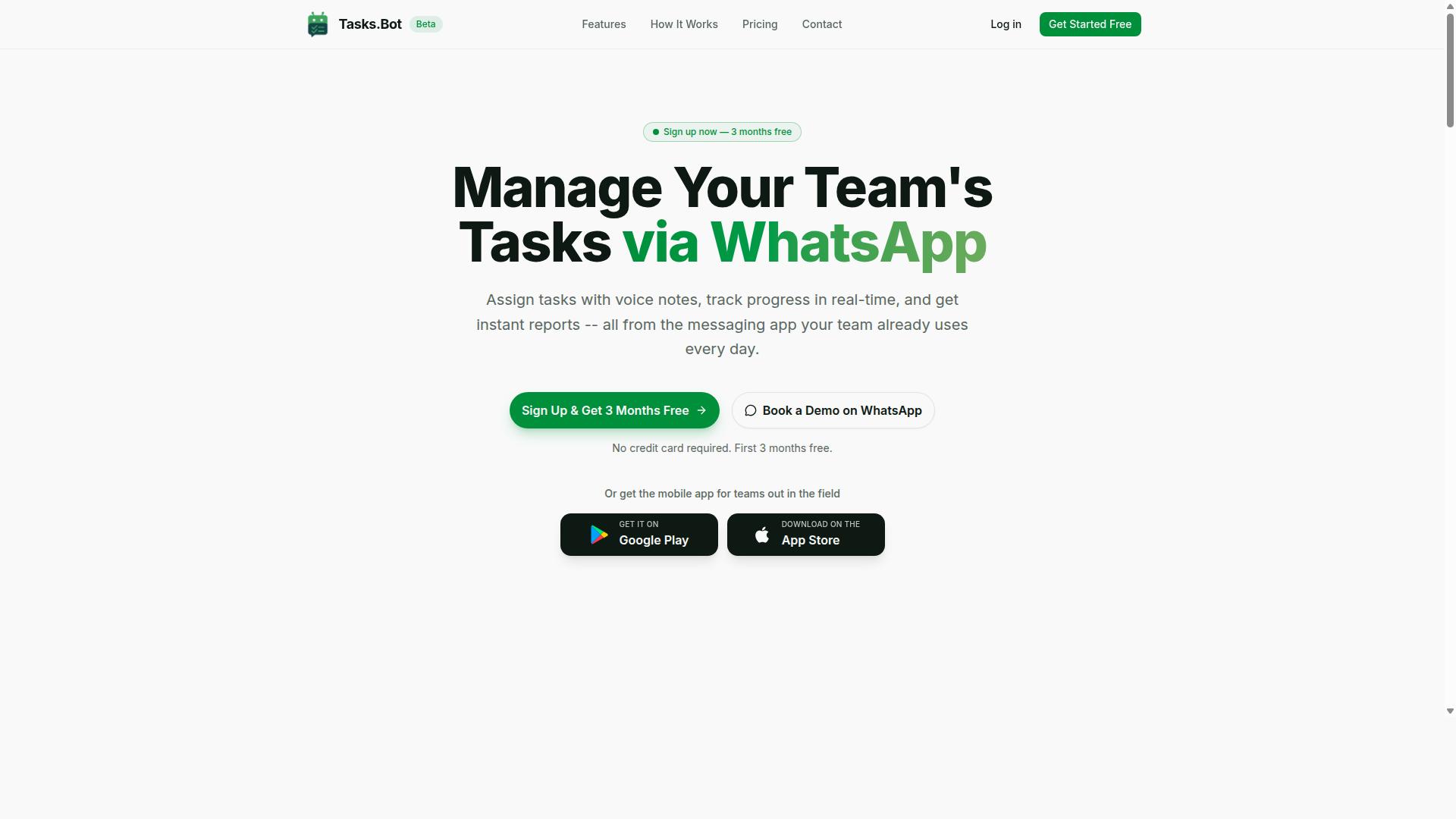
Tasks.Bot stands out as the best overall voice-to-task tool because it operates entirely within WhatsApp, eliminating the need for new apps or accounts while offering AI-powered voice note parsing and automated task management. This makes it a true task automation tool that meets teams where they already communicate daily.
The platform covers the full task lifecycle. Users get voice note creation, automatic assignment, smart reminders, approvals, automations, and instant reports. It also includes tasks on a map, a live day tracker, face-verified attendance, and shifts, leave, and hours management.
Its unique selling point is the native WhatsApp integration. Team members simply send a voice message or text, and the AI understands the intent behind it. For field teams and remote workers, this removes friction and keeps hands-free productivity at the center of daily operations.
Because the service uses conversational AI to interpret natural language, it handles complex commands without rigid forms or menus. The result is a voice-to-task experience that feels less like software and more like delegating to a reliable assistant.
Voice Note Task Creation via WhatsApp with AI Parsing
Tasks.Bot lets you send a voice note in WhatsApp and its AI parses the intent, extracting the task, assignee, and deadline, then creates a structured task automatically. This is speech-to-intent in action, where the system understands what you want rather than just transcribing words.
Consider a simple command: "Remind Raj to submit the report by 3 PM." The AI uses natural language processing to identify the action, the person responsible, and the time constraint. It then creates a task assigned to Raj with a 3 PM deadline, all without typing a single character.
The underlying speech recognition and text-to-action pipeline handles multiple languages and accents. This matters for diverse teams where members may speak different dialects or have varying speech patterns.
For field staff, the benefit is immediate. Workers can capture tasks while on the move, in noisy environments, or with gloved hands. The voice input becomes a practical tool for task scheduling and delegation, not just a novelty feature.
Automatic Assignment, Reminders, and Field Team Features
Beyond creation, Tasks.Bot automatically assigns tasks to the right team member, sends smart deadline reminders, and includes field-specific features like attendance tracking and payroll-ready hours. This rule-based automation reduces manual coordination and follow-up churn.
Task assignment works through predefined rules or AI-driven logic. When a task comes in, the system routes it to the appropriate person based on the context of the request. Smart reminders escalate if work is not completed, keeping projects on track without constant manager oversight.
The platform also includes approval workflows for task completion. This adds a quality checkpoint where completed work can be verified before it is marked done, supporting workflow automation across the entire process.
Field teams get specific advantages. Face-verified attendance confirms presence without manual timesheets, and live GPS tracking shows where work is happening. Hours are captured in a payroll-ready format, which simplifies task execution reporting for managers.
Since everything runs inside WhatsApp, there is no installation barrier. Workers use the app they already have, and the AI handles command parsing for complex requests. This combination of machine learning and contextual understanding makes Tasks.Bot a practical choice for teams that need voice-to-task capabilities without a steep learning curve.
2. Reminderly.ai
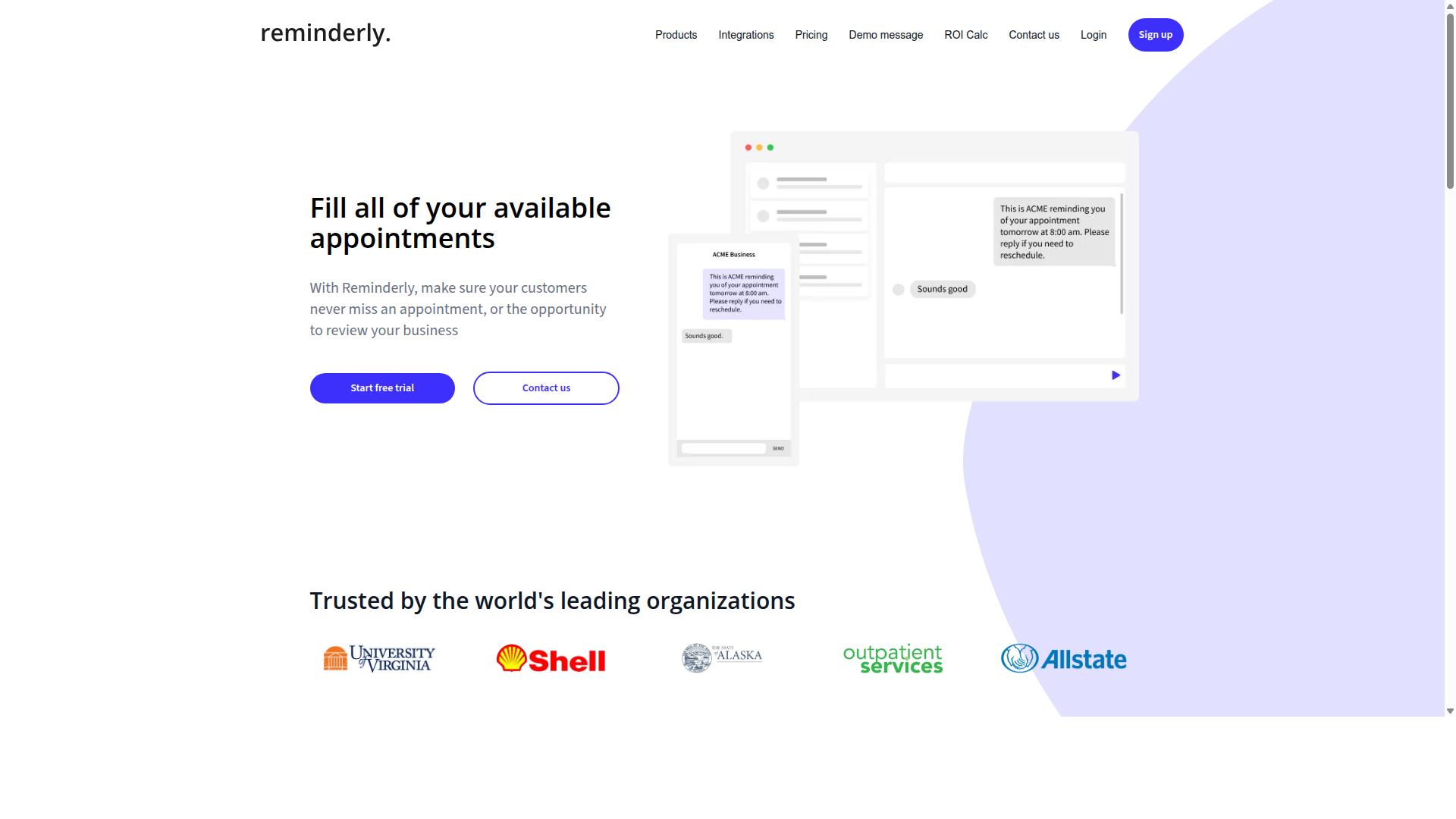
Reminderly.ai is a voice-first reminder app that focuses on personal productivity, allowing users to create reminders and tasks using natural voice commands, though it lacks team collaboration features. The tool is designed around the idea of hands-free productivity, letting you speak a task and have it captured without typing or navigating menus.
Its core strength lies in voice-to-task simplicity. You speak a reminder, and the app uses speech recognition and intent recognition to parse the request, identify the key details, and schedule it appropriately. This makes it a practical option for individuals who want a lightweight AI-powered assistant for daily errands, appointments, and personal deadlines.
Integration capabilities with calendars are a central part of the experience. Users can typically connect their existing calendar services so that voice-created events and reminders appear alongside their scheduled commitments. Cross-platform support also extends the convenience, allowing you to capture tasks from a phone, tablet, or other supported device depending on your setup.
However, Reminderly.ai is more suited for individual use than for team task management. It does not appear to offer the shared workspaces, assignment features, or progress tracking that a team would need for collaborative projects. Its automation is also limited compared to full task automation tools, with less emphasis on multi-step tasks or complex workflow automation.
For users who need rule-based automation or deeper API connectivity to trigger downstream actions, Reminderly.ai may feel restrictive. It excels at capturing single reminders quickly, but it does not position itself as a comprehensive task execution platform. If your needs are purely personal and straightforward, this tool is worth a look. If you need contextual understanding across complex projects or team-based task delegation, a more robust automation software would be a better fit.
3. TaskRio
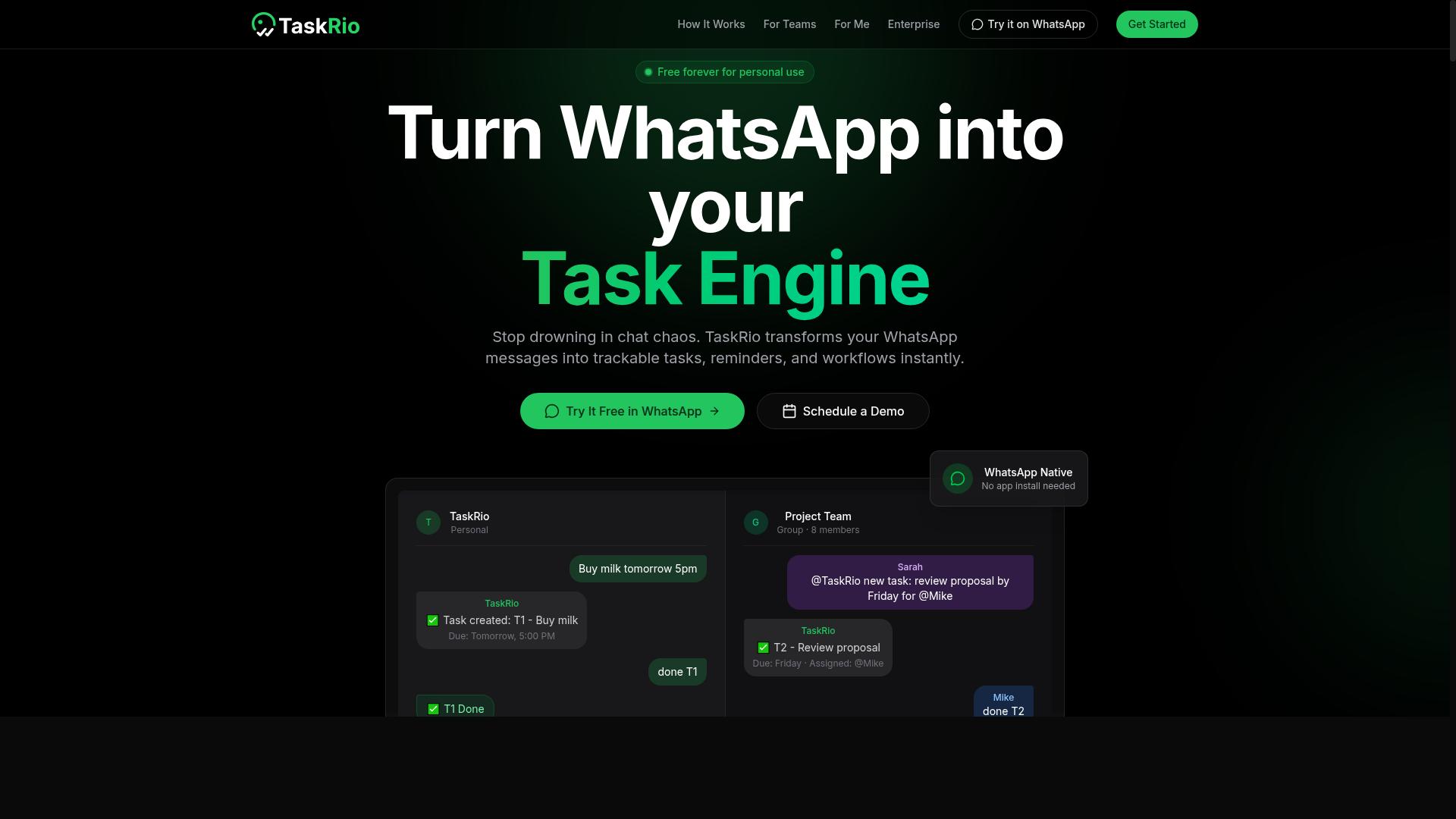
TaskRio positions itself as a workflow automation tool with voice input capabilities, enabling users to trigger tasks and processes through conversational commands, but its strengths lie in integrations rather than native voice accuracy. The platform connects with popular apps like Slack, Trello, and Zapier, which makes it a practical choice for teams that already live inside those tools.
Its user interface is built around building automation flows visually. You map out triggers and actions using a drag-and-drop style approach, which feels familiar to anyone who has used other automation software. Voice commands act as one possible trigger among many, rather than the central interaction model.
For multi-step tasks, TaskRio handles them through rule-based automation. Each step follows a defined logic path, so the system is reliable when conditions are clear. However, it lacks the deep contextual understanding that dedicated conversational AI tools bring to ambiguous requests. If you say something vague, the system may struggle to infer your intent.
This tool may be better for teams already deep in a specific ecosystem. If your daily work revolves around Slack and Trello, TaskRio can reduce friction by letting you kick off routine processes with your voice. It suits structured workflows where the steps rarely change and the rules are easy to define.
For teams that need natural language processing to handle unpredictable requests or complex task delegation, a dedicated voice-to-task tool with stronger speech-to-intent capabilities would be a better fit. TaskRio is a solid automation companion, but its voice layer is an add-on, not the core engine.
4. Karo.bot
Karo.bot leverages conversational AI to turn voice commands into actionable tasks, with a focus on natural language understanding and quick task execution, though its team features are less mature than competitors.
The platform is built around natural language processing and intent recognition, which means it is designed to interpret what you say rather than just matching keywords. This approach supports a smoother voice-to-task experience for users who prefer speaking over typing out every detail.
Karo.bot does offer integration capabilities with other tools, but the depth of those connections can vary. For advanced task delegation, field team management, or complex several-step operations, the platform may feel limited compared to more enterprise-focused options like Tasks.Bot.
The user interface is a notable strength, with a clean design that makes it easy for newcomers to get comfortable quickly. Setup tends to be straightforward, which reduces the friction often associated with adopting a new task automation tool.
For small teams or personal productivity, Karo.bot can be a practical fit. It works well for capturing quick voice input, scheduling reminders, and handling routine workflow automation without requiring extensive configuration.
However, if your needs include robust task delegation across departments, detailed reporting, or deep API connectivity for custom builds, you may want to evaluate how far Karo.bot can scale with you. Its strengths lie in conversational ease, not in heavy operational management.
As with any voice assistant, accuracy rate and latency will depend on your environment and speech patterns. Test it with your actual workflows to see if its command parsing and text-to-action speed meet your expectations before committing to a full rollout.
5. The Sarah AI
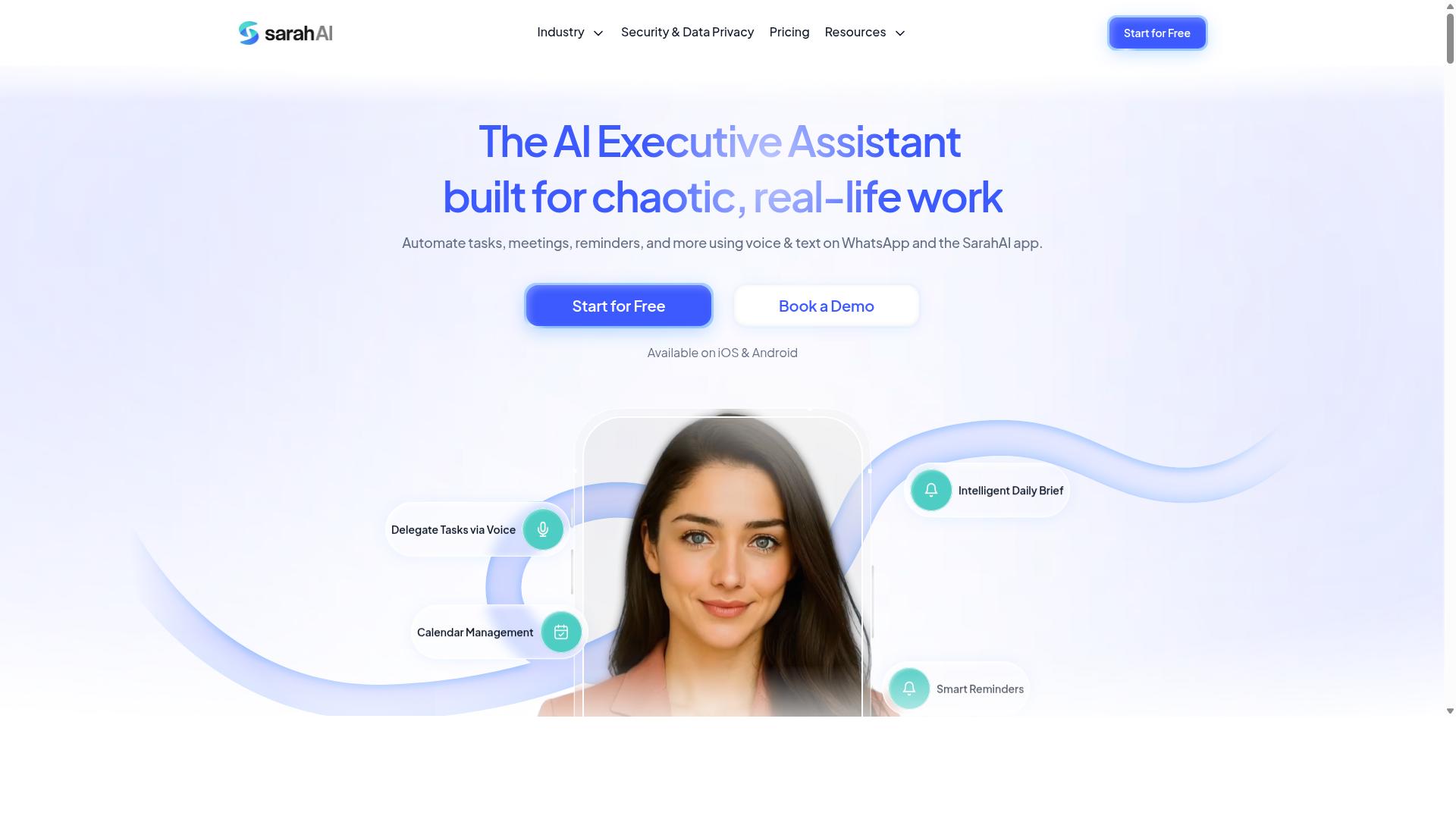
The Sarah AI is an AI-powered assistant that focuses on voice-driven task management for individuals and small teams, offering smart scheduling and reminders, but it may not scale for larger organizations. It sits at the simpler end of the voice-to-task spectrum, appealing to users who want a lightweight daily planner without complex configuration.
Its core strength is natural language processing for everyday requests. You can speak a reminder like "remind me to call the dentist tomorrow at 3 PM" and the assistant converts that speech into a scheduled task. The interface keeps things minimal, which reduces the learning curve for non-technical users.
The Sarah AI uses machine learning to improve its accuracy rate over time. As you issue more voice commands, the system learns your phrasing patterns and preferences. This gradual personalization makes routine scheduling feel more natural, though the underlying model remains fairly straightforward compared to enterprise-grade conversational AI.
Its target audience is clear: solo professionals, freelancers, and small teams who need hands-free productivity without heavy workflow automation. If your daily routine involves a handful of appointments and to-dos, this tool can handle voice input efficiently. The user interface is designed for quick capture, not deep project management.
However, The Sarah AI has notable limitations. It lacks advanced automation triggers for multi-step tasks, so you cannot chain complex workflows like "when I finish a meeting, draft a summary and send it to my team." Its integration capabilities are also limited, with fewer API connectivity options than larger platforms. Teams needing extensive third-party connections will likely hit a ceiling.
For those comparing task automation tools, The Sarah AI works best as a voice assistant for personal organization rather than a full automation software. It handles task scheduling and reminders well, but it does not offer the deep integration or rule-based automation found in more robust platforms. Consider it a friendly entry point into voice-to-task, not a complete business solution.
How to Choose the Right Option
Choosing the right voice-to-task tool requires matching the tool's capabilities to your team's specific needs, especially team size, field staff requirements, and budget, so you don't overpay for features you won't use. A tool that works beautifully for a five-person office may collapse under the demands of a 60-person field operation.
Start by writing down the tasks your team actually performs by voice today. Do they dictate reports, log attendance, or assign work orders? That list becomes your filter for every candidate tool you evaluate.
Then consider the environment where voice input happens. A warehouse floor with background noise demands better speech recognition than a quiet office. Field staff working on phones need offline-friendly interfaces and simple voice commands that work on the go.
Finally, look at the total cost of ownership. Per-member pricing adds up quickly with large teams, while flat-rate plans may waste money for small ones. Match the pricing model to your headcount before you fall in love with any feature set.
Evaluating Team Size, Field Staff Needs, and Budget
For teams with field staff, prioritize tools that offer attendance tracking and mobile-friendly interfaces; for small teams, focus on cost per member and ease of use. A team under 10 members needs a tool that takes minutes to set up, not days.
Teams of 50 or more need stronger administration controls and clearer reporting. Ask whether the tool supports role-based permissions, whether supervisors can review voice-to-text transcripts, and whether task delegation happens automatically or requires manual routing.
Field staff add two critical requirements: attendance tracking and payroll-ready hours. Your chosen AI task automation tool should capture when work starts, when it stops, and what was accomplished in between. Offline access matters too, since field workers often lose connectivity between job sites.
For budget, compare pricing models directly. Tasks.Bot offers a flat rate of 200/month per member, which makes it cost-effective for small and mid-sized teams that already rely on WhatsApp for daily communication. The platform targets teams using WhatsApp, particularly those with field staff who need task management, attendance tracking, and payroll-ready hours, and hundreds of teams already use the service.
Build a short checklist before testing any tool:
- Does it support natural language processing for everyday speech patterns?
- Can it handle multi-step tasks like "log site visit and notify the supervisor"?
- Does it work together with the messaging apps your team already uses?
- Is the accuracy rate acceptable for your industry's vocabulary?
- Does the pricing scale fairly as your team grows?
Most vendors offer a free trial or demo period. Use that window to test voice commands with your actual staff, not just with yourself. Run a two-week pilot with your noisiest environment and your least tech-savvy employee. If the tool survives both, it will likely serve your whole team well.
Finally, compare integration capabilities. A task automation tool that connects to your existing workflow automation stack saves hours of manual data entry. If your team already operates inside WhatsApp, a tool like Tasks.Bot becomes a natural fit because it works where your communication already happens, reducing the learning curve dramatically.
Final Verdict
For most teams, especially those already using WhatsApp, Tasks.Bot offers the most seamless voice-to-task experience with its AI-driven parsing and robust automation-without requiring any new installations. It works entirely within WhatsApp, which means your team can skip the learning curve and start using voice commands immediately.
The standout advantage is simplicity. There are no new accounts to create and no separate apps to manage. Your existing WhatsApp workflow becomes your AI task automation hub, turning voice notes and natural language messages into actionable tasks with minimal friction.
Tasks.Bot also handles the administrative side that most voice-to-task tools ignore. Face-verified attendance and payroll-ready hours mean the same conversational AI that captures tasks can also track team presence. For small businesses and remote teams, this consolidates two workflows into one familiar interface.
The pricing adds to the appeal at 200/month per member. That flat rate covers the AI-powered assistant, voice input parsing, and task execution without tiered surprises. For teams evaluating automation software, this predictable cost makes budgeting straightforward.
Keep in mind that Tasks.Bot is currently in beta, so expect ongoing refinements to its speech-to-intent and command parsing capabilities. The brand offers a demo for teams that want to see how conversational AI handles their specific multi-step tasks before committing.
Our recommendation is simple. If your team already lives in WhatsApp and needs hands-free productivity without new tools, start with Tasks.Bot. If you need deep API connectivity or specialized integrations, explore other options, but for most use cases, this is the most direct path from voice to completed task.
To learn more or see it in action, reach out directly. Call +91 97143 42522 or email [email protected] to book a demo and evaluate whether this AI-powered assistant fits your workflow.
Frequently Asked Questions
Does my team really need to install anything to use Tasks.Bot?
No. Tasks.Bot operates entirely within WhatsApp, so your team members don't need to install new apps or create new accounts. They simply use the messaging app they already have, which makes adoption fast and frictionless-especially for field teams.
How does Tasks.Bot handle voice notes for task creation?
Tasks.Bot uses AI to understand natural language and voice notes, so you can simply speak a task into WhatsApp and it gets converted into a structured, assignable task. This is a core differentiator because it removes typing friction and lets managers capture tasks on the go, exactly as they speak them.
Can Tasks.Bot help with attendance and payroll for field staff?
Yes, Tasks.Bot offers face-verified attendance and live day tracking, which are designed for teams with field staff. The platform provides payroll-ready hours, meaning the attendance data you capture can be used directly for payroll calculations without manual re-entry.
Is Tasks.Bot suitable for a global or remote team?
Yes, Tasks.Bot is a SaaS product available worldwide with no country restrictions mentioned. Since it works via WhatsApp and a mobile app, any team with WhatsApp access can use it, regardless of location or time zone.
What does the pricing look like, and is there a way to save money?
Tasks.Bot offers a 'Full Access' plan with all features included. Pricing is 200 per member per month, or you can choose the annual plan at 1,200 per member per year, which saves you 50% compared to monthly billing. There is also a refund policy mentioned on the site, and you can book a demo on WhatsApp to confirm fit before committing.
How does Tasks.Bot compare to other AI task automation tools?
Most AI task tools require you to learn a new dashboard or integrate multiple apps. Tasks.Bot's unique advantage is that it lives inside WhatsApp, so you get task assignment, deadline reminders, approvals, automations, and instant reports without leaving your chat interface. It also offers map-based task views and live day tracking, which are particularly valuable for field operations-capabilities that many general-purpose AI tools lack.
Recommended Resources: