Choosing a Slack automation tool often comes down to where your team already works. Slack bots handle reminders inside channels, but field crews and shift workers rarely live in Slack all day. That gap decides which platform actually gets used.
This comparison covers what Tasks.Bot does, how it handles AI task creation from natural language and voice notes, plus its field tools like face-verified attendance and GPS tracking. You will also see pricing, trust signals, and a clear breakdown of which teams get more from Tasks.Bot than from TaskRio.
What Is Tasks.Bot? WhatsApp-First Task Management for Teams
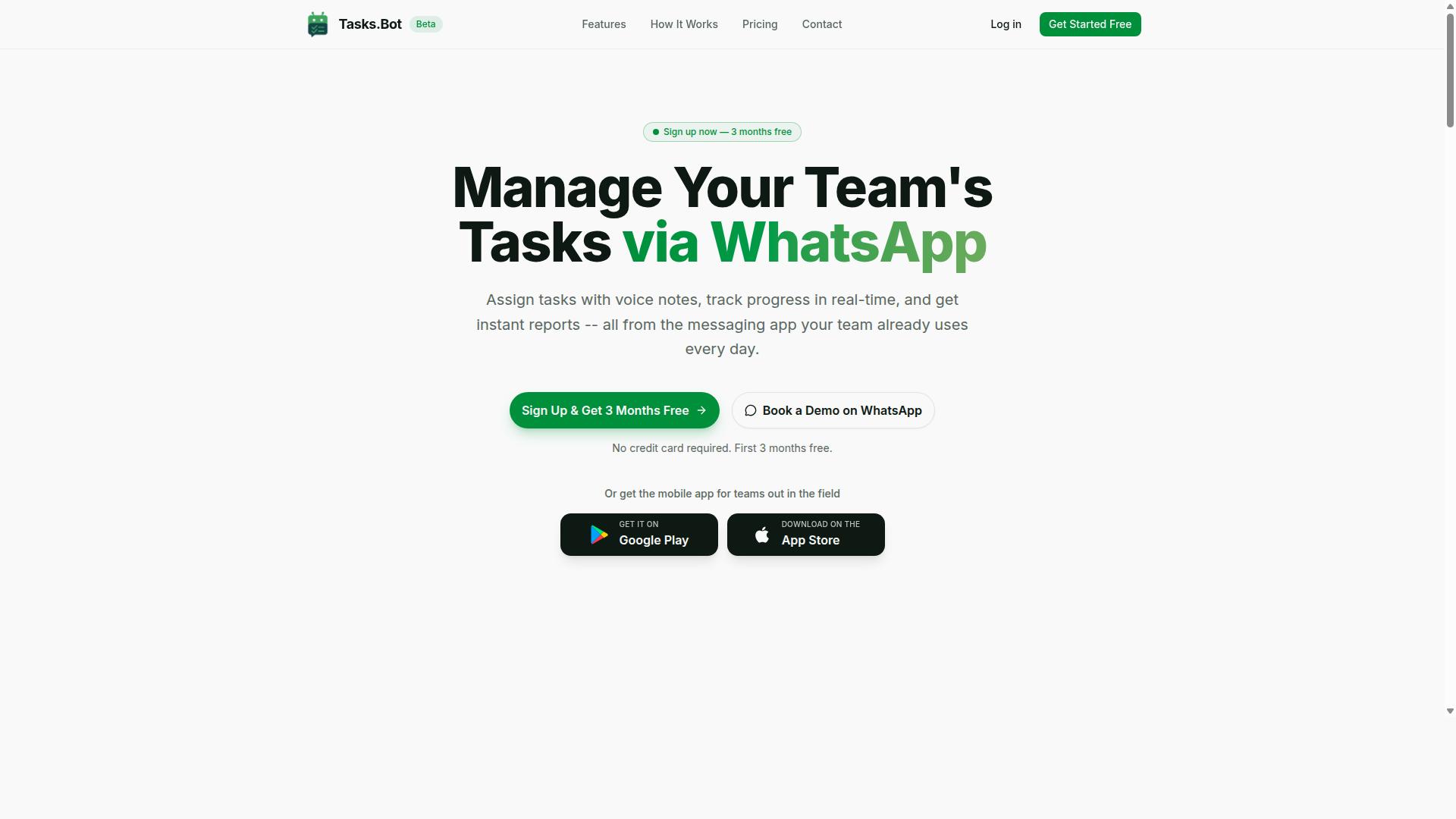
Tasks.Bot is a task management platform that operates entirely within WhatsApp, allowing teams to assign tasks, track progress, and receive reports without leaving the messaging app. Instead of asking people to learn another dashboard, it turns a chat thread into a working to-do list.
The core idea is simple: meet teams where they already are. WhatsApp is already open on most people's phones, so task management stops feeling like a separate chore and becomes part of the daily conversation.
Adoption is where Tasks.Bot stands apart. Team members don't need to install anything or create new accounts to get started. That removes the two biggest friction points that stall most new productivity software rollouts: downloads and onboarding forms.
Tasks.Bot also offers a mobile app for field teams, which matters for businesses whose staff spend their day away from a desk. The service is currently in beta and is available globally, with a free trial period so teams can evaluate it before committing.
For field-heavy operations, the platform adds face-verified attendance and live GPS tracking. Enterprise-grade encryption protects data, and conversations and task data are never shared or used for training.
Put together, the value proposition is straightforward: task creation, task assignment, deadline tracking, reminders, and notifications delivered through a channel your team already checks dozens of times a day.
How Tasks.Bot Fits Into the Slack Automation AI Tools Conversation
While Tasks.Bot doesn't connect with Slack, it addresses the same need for automated task management within a messaging platform, WhatsApp. Both categories exist for one reason: people ignore separate project management tools and respond to messages.
Slack automation tools typically live inside a Slack workspace as a Slack app or Slack bot. Tasks.Bot takes the same chatbot and virtual assistant concept and applies it to WhatsApp's ecosystem instead. For distributed teams, that distinction often decides whether a rollout succeeds or quietly dies.
The fit is strongest for teams that already run on WhatsApp, particularly those with field staff, remote crews, or client-facing workers. If your team's real communication happens in WhatsApp groups, a Slack-based tool would sit in a channel nobody opens.
Tasks.Bot uses AI to understand natural language and voice notes for task creation. That mirrors the natural language processing and machine learning approach behind many Slack bots, but tuned for how WhatsApp users actually type and talk.
In practice, this covers the essentials of workflow automation without a new interface:
- Task creation and task assignment from a message
- Deadline tracking with reminders and notifications
- Progress reports delivered back into the chat
It's also worth being clear about positioning. Tasks.Bot is not a Slack integration, and it won't replace a kanban board or a full project management suite. It's a focused alternative for teams whose messaging home is WhatsApp, and it's currently in beta with a free trial period.
TaskRio vs Tasks.Bot: Which Tool Actually Fits Your Team?
When comparing TaskRio and Tasks.Bot, the key differentiator is the platform they operate on: TaskRio integrates with Slack, while Tasks.Bot operates within WhatsApp. That single distinction shapes almost everything else, from who adopts the tool fastest to which teams get real value from it.
Neither approach is universally better. The right pick depends on where your team already spends its working hours and how your staff communicate day to day.
TaskRio suits organizations that have standardized on Slack. If your channels already host project discussions, standups, and quick decisions, a Slack-based assistant keeps task management inside a space your people already trust.
Tasks.Bot takes the opposite route. It brings task management into WhatsApp, the app most teams already have open on their phones. For companies with field staff, delivery crews, or remote workers who rarely sit at a desk, that familiarity matters more than any feature list.
The two tools also differ in how work gets captured. Tasks.Bot supports voice note task creation, which helps users who would rather speak than type. It also includes face-verified attendance and GPS tracking, capabilities aimed at teams that manage on-site or mobile workforces rather than desk-bound project squads.
Pricing follows a similar logic. Tasks.Bot offers a Full Access plan with all features included at ₹200 per member per month, or ₹1,200 per year per member on the annual plan. New users get 3 months free, with no credit card required and the option to cancel anytime.
To decide, start with two questions:
- Which messaging platform does your team actually use every day, Slack or WhatsApp?
- Do most of your people work at desks, or in the field with a phone in hand?
If Slack is your hub and your team is largely office-based, TaskRio fits naturally into existing habits. If WhatsApp is where your people already coordinate, especially with field staff involved, Tasks.Bot meets them where they are instead of asking them to adopt a new tool.
For teams weighing workflow automation and team collaboration, the deciding factor is rarely the longest feature list. It is how little friction your people feel when they use it. Match the tool to your existing communication stack, and adoption follows.
Key Features and What Makes Tasks.Bot Stand Out
Tasks.Bot packs a comprehensive set of features designed to streamline task management, from AI-powered creation to field team tools, all within WhatsApp. Unlike tools that require a separate Slack app or dashboard, Tasks.Bot works where many teams already spend their day.
What sets it apart is the combination of AI, field team support, and standard task management in one place. Team members do not need to install anything or create new accounts, which lowers the barrier to adoption across an entire workforce.
The feature set covers the full task lifecycle:
- Voice note task creation and AI understanding of natural language
- Automatic task assignment and smart deadline reminders
- Approvals and automations for repetitive workflows
- Instant reports and tasks on a map
- Live day tracker and face-verified attendance
- Shifts, leave, and hours management
It also provides Android and iOS apps with push notifications, voice capture, and a home screen widget, so field teams get mobile tools without leaving the WhatsApp-first workflow. Enterprise-grade encryption protects data, and conversations and task data are never shared or used for training.
AI Task Creation From Natural Language and Voice Notes
Tasks.Bot uses AI to interpret natural language and voice notes, allowing users to create tasks simply by sending a message or voice clip in WhatsApp. The system understands user intent and turns casual phrasing into a structured task.
Instead of filling out forms or navigating menus, a user can type something like "Send invoice to client by Friday" and the AI parses the details, assigns the task, sets the deadline, and schedules reminders. A voice note saying "Need to order supplies tomorrow" works the same way.
This approach removes the friction that usually slows task entry. There are no fields to configure, no priority dropdowns to hunt through, and no separate to-do list app to open. The task is captured in the moment, which matters most for field teams who are moving between locations and cannot stop to type.
Natural language processing and machine learning do the heavy lifting behind the scenes. The result is faster task creation, fewer dropped requests, and a workflow that feels like sending a message rather than operating productivity software.
Field Team Tools: Face-Verified Attendance, GPS Tracking, and Live Day Tracker
For teams with field staff, Tasks.Bot offers face-verified attendance, GPS tracking, and a live day tracker to monitor progress and location in real time. These tools are built for managers who cannot see their teams in person every day.
Face-verified attendance confirms that a team member is physically present when they check in, which adds accountability for shifts and site visits. GPS tracking provides location data for field visits, so managers know where work is happening without constant phone calls.
The live day tracker shows task progress throughout the day, giving a running view of what has been completed and what is still open. Together, these features let managers oversee field operations from a distance.
All of it integrates with WhatsApp and the mobile apps. Team members check in, update tasks, and share location from the same app they already use. These features are part of the Full Access plan, making them available as a defined tier rather than scattered add-ons.
Reports, Approvals, Automations, and Shifts/Leave/Hours Management
Tasks.Bot streamlines back-office tasks with instant reports, approval workflows, automations, and tools for managing shifts, leave, and hours. These capabilities live inside WhatsApp, so managers do not need to switch between systems.
Instant reports provide summaries of task completion and team performance, which helps managers spot bottlenecks without building spreadsheets by hand. Approvals let managers sign off on tasks or requests directly in the chat, keeping decisions documented in the same thread where the work happens.
Automations handle recurring tasks and reminders, so routine work does not depend on someone remembering to recreate it each week. Shifts, leave, and hours management tracks attendance and generates payroll-ready data, connecting daily operations to back-office needs.
Because everything runs in WhatsApp, there is less need for separate project management software, calendar tools, or attendance systems. The native WhatsApp integration keeps team collaboration and workflow automation in one channel, which reduces tool sprawl and training time.
Pricing and Plans: Simple, Transparent, and Beta-Friendly
Tasks.Bot offers a single 'Full Access' plan with all features included, priced at ₹200 per member per month or ₹1,200 per year per member, with pricing also available in US Dollars. That is the entire pricing structure. There is no Starter tier, no Pro tier, and no Enterprise tier hiding features behind a sales call.
For teams comparing Slack automation AI tools, this kind of flat pricing is refreshing. Many productivity software platforms split capabilities across multiple plans, which forces buyers to guess which tier they actually need. Tasks.Bot removes that guesswork entirely. Every feature is included in the one plan, so what you see is what your team gets.
The annual option is where the value becomes clear. Choosing yearly billing saves 50%, which works out to ₹1,200 saved per year per member compared to paying monthly. For a team of ten, that is a meaningful reduction without any change in what the plan includes.
| Plan | Billing Cycle | Price | Savings |
|---|---|---|---|
| Full Access | Monthly | ₹200 per member per month | None |
| Full Access | Annual | ₹1,200 per year per member | Save 50%, ₹1,200/yr per member |
Currency selection matters for international teams. The site states 'Select currency' with options for the Indian Rupee and the US Dollar, so pricing should be verified in your preferred currency before committing. This is a small but practical detail for distributed teams budgeting across regions.
New users also get 3 months free, with no credit card required and the ability to cancel anytime. That trial period gives a team real time to evaluate how the platform handles task creation, task assignment, deadline tracking, and reminders in daily use, rather than judging from a demo alone.
Tasks.Bot is currently in beta, which is worth noting for planning purposes. Beta status often means the product is evolving quickly, and early adopters may see features shift or expand over time. It also tends to mean the team behind the tool is closely engaged with feedback, which can work in a buyer's favor.
There are no hidden tiers and no add-on pricing buried in fine print. Everything sits inside the single Full Access plan. For a tool handling workflow automation, that transparency removes a common source of frustration when teams try to forecast software costs.
Reassurance also comes from the refund policy mentioned in the footer. Combined with the free trial and no-credit-card start, the overall structure lowers the risk of trying Tasks.Bot. A team can begin at no cost, test the chatbot and virtual assistant capabilities against real project management needs, and decide from there.
Compared with the broader landscape of task management and project management tools, this approach stands out for its simplicity. Whether a team needs a to-do list, checklist, kanban board, recurring tasks, subtasks, dependencies, priority levels, labels, tags, or due dates, the Full Access plan covers it without tier gating.
For anyone weighing Slack integration options, the takeaway is straightforward. Tasks.Bot keeps pricing legible: one plan, two billing cycles, two currencies, a free start, and a stated refund policy. That combination is rare enough in productivity software to be worth highlighting.
Trust Signals: Encryption, Refund Policy, and Teams Already On Board
Tasks.Bot prioritizes trust with encryption, a clear refund policy, and a growing user base of hundreds of teams already using the platform. For any Slack automation AI tool, these signals matter as much as the feature list. A chatbot or virtual assistant touches real project data, so teams need confidence that the tool is safe, accountable, and proven in the field.
Encryption is the foundation of that confidence. Data is protected both in transit, while it moves between WhatsApp and the Tasks.Bot service, and at rest, once it is stored. This two-layer approach is standard practice for reputable productivity software, and it means conversations, task details, and workflow data are not left exposed at any stage.
The presence of a refund policy, listed in the site footer, is another meaningful signal. A vendor that stands behind a refund policy is effectively putting its money where its confidence is. If the tool does not fit a team's workflow automation needs, there is a clear path back, which lowers the risk of trying it.
Perhaps the strongest trust signal is adoption. Hundreds of teams already use Tasks.Bot for task management, task creation, task assignment, and deadline tracking inside WhatsApp. That kind of usage suggests the platform performs reliably in day-to-day team collaboration, not just in a demo.
It is also worth noting that the service is currently in beta. Rather than a red flag, this indicates active development. Teams joining now are working with a product that is being refined and improved, and feedback helps shape where it goes next. The site also offers a "Book a Demo on WhatsApp" option, making it easy to see the tool in action before committing. Taken together, encryption, a refund policy, and a base of hundreds of teams point to a platform that takes trust seriously.
Who Should Use Tasks.Bot
Tasks.Bot is ideal for teams that already use WhatsApp for communication, especially those with field staff who need task management, attendance tracking, and payroll-ready hours. Rather than forcing everyone onto a new platform, it works inside the messaging app they already open every day.
That distinction matters more than it might seem. Adoption is the hardest part of any productivity software rollout, and tools that require a fresh download often stall before they deliver value. Tasks.Bot sidesteps that friction by meeting teams where they already are.
The clearest fit is any organization where a meaningful share of the workforce is not sitting at a desk. Consider a few common examples:
- Construction crews coordinating site assignments, shift check-ins, and hours across multiple locations
- Delivery and logistics teams tracking routes, confirming completed drops, and logging time on the road
- Sales teams working remotely or in the field, assigning follow-ups and tracking deadlines between visits
- Service and maintenance businesses dispatching technicians and recording attendance at each job site
In each case, the common thread is a workforce that is mobile, distributed, or both. A desktop-first project management suite rarely gets opened by these teams, but WhatsApp is already in their pocket.
This is where the "no new app" argument becomes practical rather than promotional. If your team lives in WhatsApp, Tasks.Bot eliminates the need to adopt another app for task creation, task assignment, deadline tracking, reminders, or attendance records. The conversations and the coordination happen in the same thread.
Attendance tracking and payroll-ready hours are particularly relevant for teams that pay by shift or by hour. Instead of chasing spreadsheets or reconciling handwritten timesheets, the record builds up through normal daily use.
Tasks.Bot is also global and accessible through WhatsApp and mobile apps, which suits teams spread across regions or time zones. The site mentions that hundreds of teams already use the service, a reasonable signal that the WhatsApp-first model holds up beyond a single niche.
If your operation runs on Slack instead, a different tool may suit you better. But for WhatsApp-centered teams with field staff, this is squarely the intended audience.
Final Verdict: Is Tasks.Bot the Right Choice for Your Team?
Tasks.Bot is a compelling choice for WhatsApp-centric teams seeking an all-in-one task management solution with AI-powered features and field team tools. Rather than forcing your team into yet another dashboard, it meets people where they already spend their day: inside WhatsApp.
That single design decision shapes everything else about the product. For teams juggling task creation, task assignment, and deadline tracking across chat threads, keeping work inside a familiar messaging app removes a real layer of friction.
Below is a summary of where Tasks.Bot stands out, where it is still maturing, and which teams will get the most from it.
Key strengths at a glance:
- WhatsApp integration: Tasks.Bot operates as a chatbot and virtual assistant inside WhatsApp, so task management happens without switching apps.
- AI task creation: The platform uses artificial intelligence, natural language processing, and machine learning to turn conversations into structured tasks.
- Field team support: Workers who are mobile, on-site, or away from a desk can manage their to-do lists and checklists directly from their phones.
- Transparent pricing: Costs are presented clearly, which makes budgeting and plan comparison straightforward.
- Trust signals: Reachable contact channels and a clear public presence give buyers confidence before committing.
For a field crew, a sales team on the move, or any group that coordinates over chat, these strengths compound. Team collaboration improves when updates, reminders, and notifications land in the same thread where the work was discussed.
It is worth being upfront about one thing: Tasks.Bot is in beta. That means some features may evolve, interfaces can shift, and the roadmap is still being shaped. Early adopters should expect occasional changes and treat the product as a work in progress rather than a finished, frozen platform.
For many teams, that trade-off is acceptable. Beta status often means faster iteration, closer attention to user feedback, and quicker access to new capabilities. If your workflow depends on absolute stability above all else, it is simply a factor to weigh.
So who should choose Tasks.Bot? Teams that already run on WhatsApp and need capable task management without abandoning the app they live in. If your daily coordination happens in group chats and voice notes, this is a natural fit.
Who should look elsewhere? If your organization is built around Slack, a Slack-native tool such as TaskRio may align better with existing habits and channel structure. That is not a knock on Tasks.Bot. It is a question of matching the tool to the environment your team already uses.
To decide, ask a few practical questions:
- Where does most of your team communication actually happen today?
- Do you have field or mobile workers who rarely sit at a desk?
- How much does beta-stage maturity matter to your operations?
- Does transparent pricing fit your budget planning?
If the answers point toward WhatsApp and mobile-first work, Tasks.Bot is the stronger match. If they point toward Slack, evaluate TaskRio and similar Slack automation tools alongside it.
Ready to see it in action? You can book a demo on WhatsApp or reach the team directly by phone at +91 97143 42522 or email at [email protected]. A short conversation is usually enough to tell whether Tasks.Bot fits how your team already works.
Frequently Asked Questions
What is the main difference between Tasks.Bot and TaskRio for Slack automation?
Tasks.Bot is a task management platform that operates entirely within WhatsApp, so your team can assign tasks, track progress, and receive reports without installing anything or creating new accounts. TaskRio is a Slack-based automation tool, meaning it lives inside Slack rather than WhatsApp. If your team already runs on WhatsApp - especially with field staff - Tasks.Bot fits your existing workflow instead of asking you to switch platforms.
Do we need to install new software or create accounts to use Tasks.Bot?
No. Tasks.Bot works inside WhatsApp, so team members don't need to install anything or sign up for new accounts. There's also a mobile app available for field teams that need it. This makes onboarding much faster than tools that require every user to join and learn a separate platform.
How does Tasks.Bot's AI handle task creation compared to a Slack bot?
Tasks.Bot uses AI to understand natural language and voice notes, so you can create tasks simply by typing or sending a voice message in WhatsApp. It also supports automatic task assignment, smart deadline reminders, approvals, and automations. Slack-based tools like TaskRio typically require tasks to be created through Slack commands or forms, which can be less natural for quick, on-the-go updates.
How much does Tasks.Bot cost?
Tasks.Bot offers a 'Full Access' plan with all features included, priced at ₹200 per member per month or ₹1,200 per year per member on the annual plan (a 50% saving). Pricing is available in both Indian Rupees and US Dollars. For current TaskRio pricing, check their website directly, as we can only speak to our own plans.
Can Tasks.Bot handle field teams and attendance, not just task lists?
Yes. Tasks.Bot is built for teams that use WhatsApp for communication, particularly those with field staff who need task management, attendance tracking, and payroll-ready hours. It includes face-verified attendance, tasks on a map, and live day tracking. These field-focused features go beyond what a typical Slack automation tool is designed to do.
How do we get started or see Tasks.Bot in action?
You can book a demo directly on WhatsApp through the Tasks.Bot website. The service is currently in beta and available worldwide, with a refund policy noted in the site footer. For questions, reach the team at [email protected] or +91 97143 42522.
Recommended Resources: